As subscriber lists grow, sending messages is no longer the hardest part. Organizing the audience behind those messages is.
Subscribers accumulate across newsletters, event registrations, campaigns, and community channels. Without structure, teams often end up sending broad messages to loosely defined audiences.
As messaging programs expand, segmentation becomes harder to manage. High-value audiences get rebuilt for every campaign, filters are recreated from scratch, and different teams define the same segment slightly differently. What should be strategic becomes manual.
At Subtext, we’re building the audience messaging infrastructure organizations need to manage and activate direct relationships with the people they serve. This infrastructure helps teams bring their audiences into Subtext, organize them using attributes and engagement signals, and activate them through personalized messaging campaigns.
With Audience Imports, teams can already bring their existing audiences into Subtext and start messaging immediately.
Now, we’re introducing Audience Groups, a new capability that builds on that foundation by giving teams a way to organize and segment those audiences as they grow.
What Are Audience Groups?
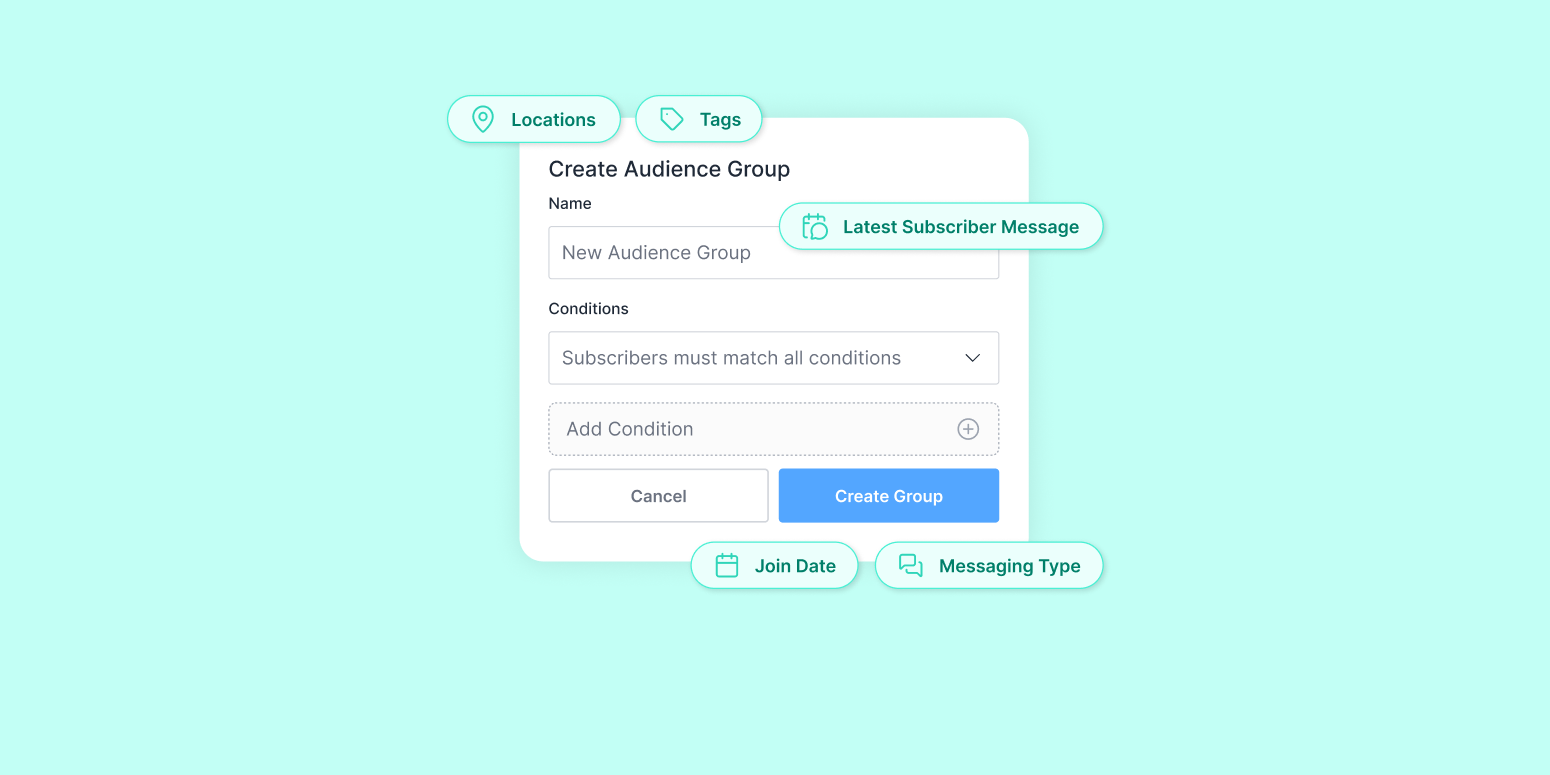
Audience Groups allow teams to organize their audience into saved, reusable segments built from subscriber Conditions, including tags, location, join date, and reply-based engagement.
Instead of rebuilding filters before every send, teams can define audiences once and reuse them across campaigns. This makes segmentation consistent and repeatable as messaging programs scale.
With Audience Groups, you can:
- Define an audience once
- Save it
- Reuse it across campaigns
Build it once. Use it again and again.
What You Can Build With Conditions
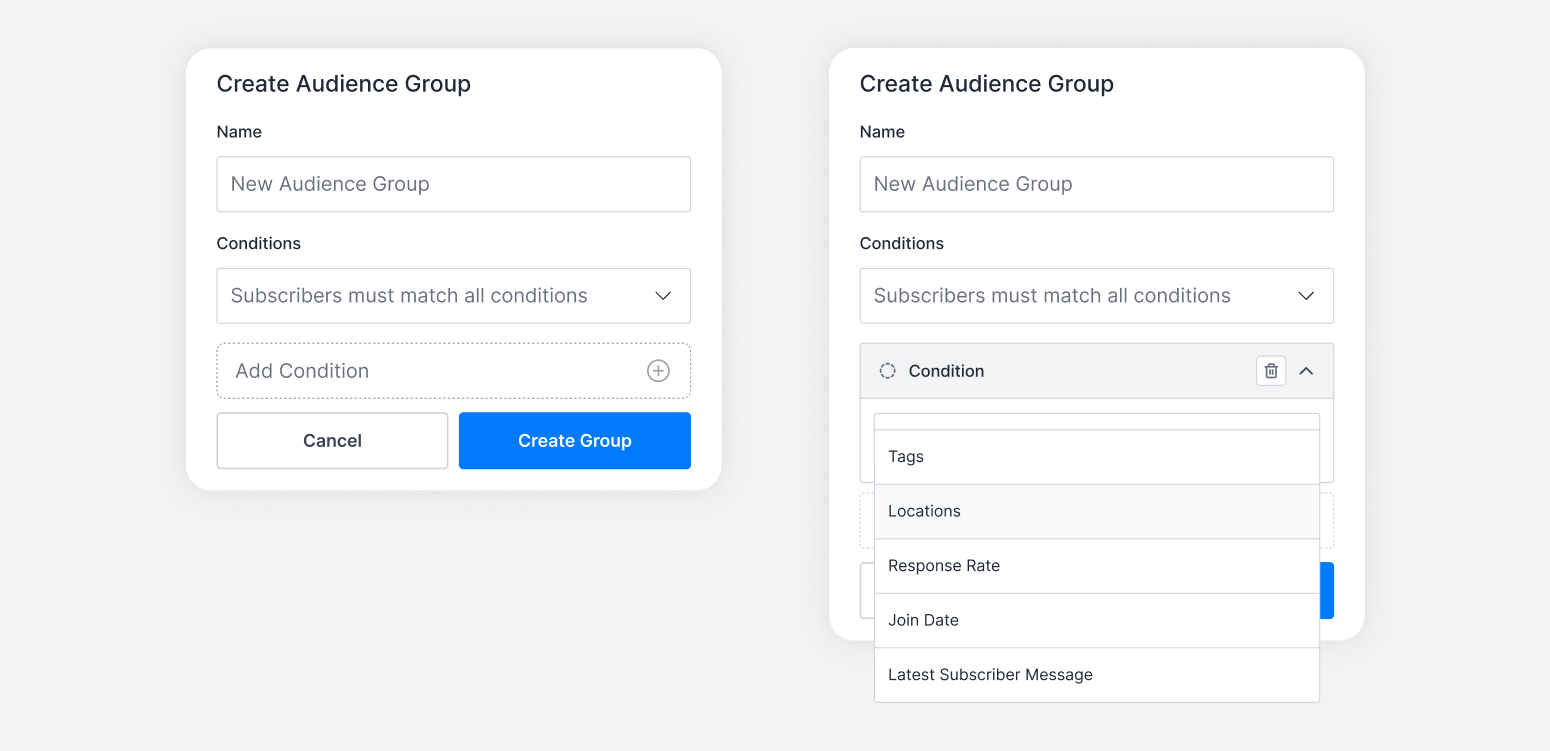
Audience Groups are created using flexible include and exclude Conditions that reflect how teams actually think about their audiences.
Available Conditions include:- Location
- Subscriber Tags
- Join Date (before, after, between, relative timing)
- Latest Subscriber Message
- Messaging Type (ASID Campaigns Only)
These Conditions can be combined to create precise audience definitions based on subscriber attributes and engagement activity. The result is segmentation that mirrors real audience strategy, not just list filtering.
Why This Matters
As audiences grow, broad messaging becomes less effective. Organizations need a way to structure their audiences into meaningful groups that reflect subscriber behavior, engagement, and interests. When audiences are organized clearly, teams can deliver more targeted and personalized messaging that feels relevant to the people receiving it.
With reusable audience definitions, teams can:
- Maintain clear definitions of key subscriber segments
- Target the same audiences consistently across campaigns
- Align segmentation across editorial, marketing, and growth teams
- Reduce the operational work required before each send
Over time, this consistency also leads to stronger audience intelligence. Teams begin to see patterns in how different segments respond to messaging, such as which audiences engage most often, which groups respond to upsells, and which subscriber cohorts drive stronger performance.
Audience organization leads to smarter activation, and those insights unlock new pathways to revenue growth.
Examples Across Industries
Below are examples of how different organizations use Audience Groups to support engagement, retention, and growth.
1. Local News
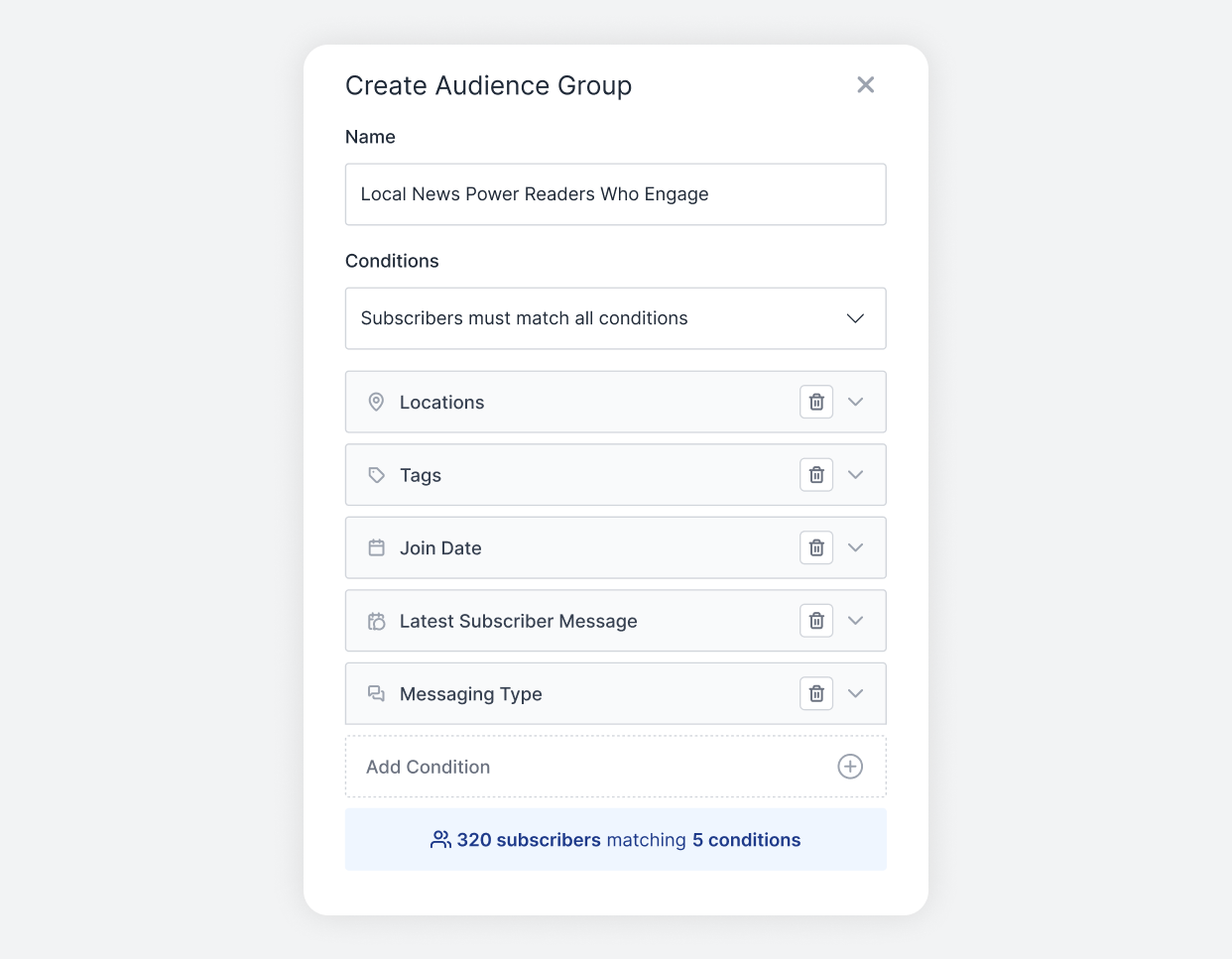
Audience Group: Local News Power Readers Who Engage
A publisher focused on growing local subscription revenue might create:
Conditions
- Location → New York City
- Subscriber Tags → Includes Local News
- Joined Date → Before January 1, 2024
- Latest Subscriber Message → In the Last 30 Days
This group represents long-time NYC subscribers who actively engage with local coverage.
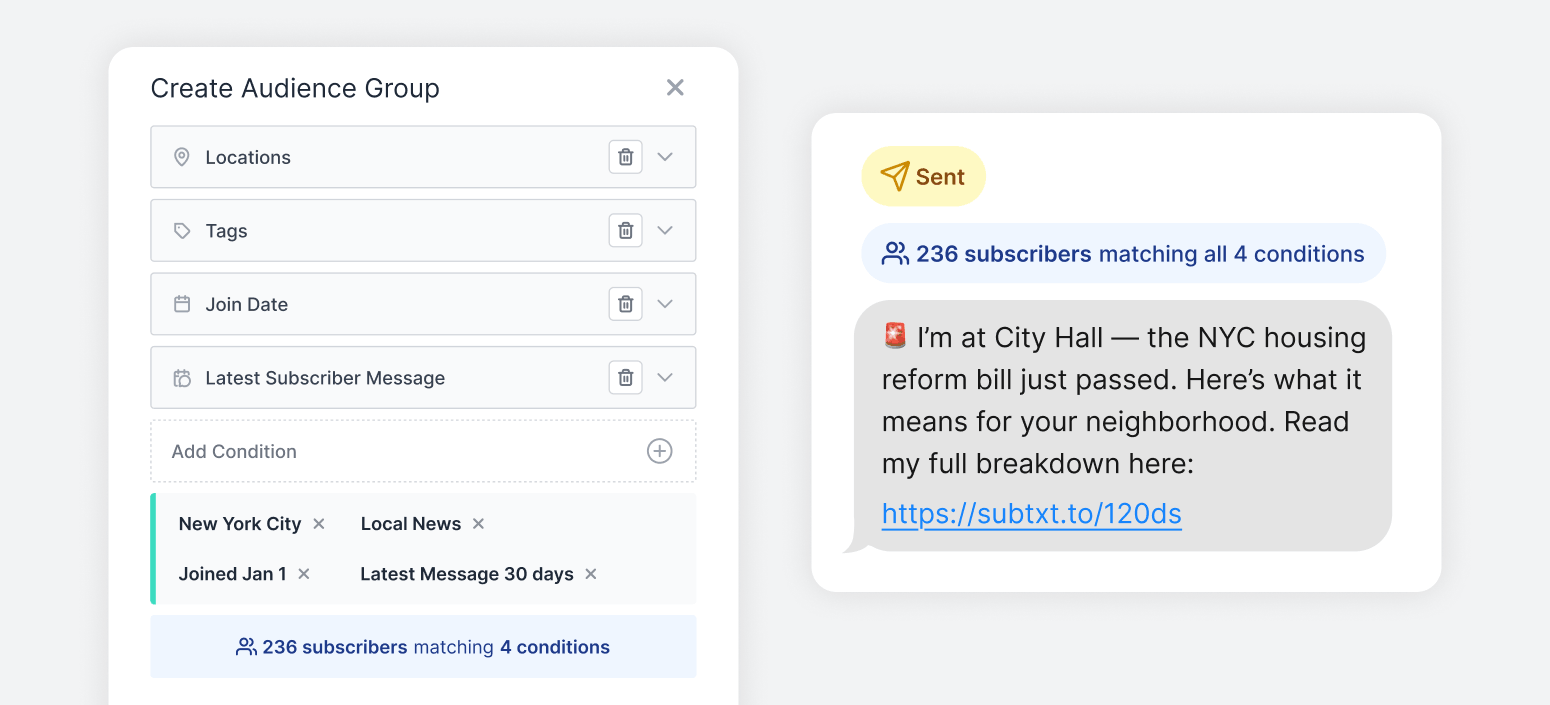
Perfect for:
- Breaking news alerts
- Election coverage
- Subscription upsells
- Event invitations
Over time, consistent use of this segment helps the team better understand how engaged local readers respond to urgent coverage and subscription offers, informing future revenue strategy.
2. Creators
Audience Group: Early Supporters and Prior Purchasers
A creator looking to prioritize their most committed supporters might create:
Conditions
- Joined Date → Before June 1, 2023
- Subscriber Tags → Includes Prior Purchase
- Subscriber Tags → Includes Behind The Scenes
- Subscriber Tags → Excludes Refunded Purchase
This represents a creator’s most committed supporters.
Perfect for:
- Limited drops
- First-look announcements
- High-touch messages
Because the definition remains stable, the creator can consistently evaluate how their core supporters respond to exclusive offers and product launches.
3. Marketing
Audience Group: High-Intent Regional Shoppers
A marketing team preparing for a regional launch might create:
Conditions
- Location → California
- Subscriber Tags → Includes Product Launches
- Subscriber Tags → Excludes One-Time Buyer
- Joined Date → after March 1, 2025
This represents newer subscribers in a key region who’ve shown interest but haven’t converted.
Perfect for:
- Regional promotions
- Launch reminders
- Conversion campaigns
Reusable segmentation allows the team to test and refine messaging with the same defined audience over time, improving campaign performance with each iteration.
4. Publishing
Audience Group: National Subscribers, Regional Relevance
A national publisher focused on delivering timely reporting to paid subscribers might create:
Conditions
- Location → United States
- Subscriber Tags → Includes Politics
- Subscriber Tags → Excludes Opinion Only
- Joined Date → before January 1, 2024
- Subscriber Tags → Includes Digital Subscription
This represents established, paying readers who follow core national coverage but prefer reporting over commentary.
Perfect for:
- Breaking national alerts
- Election-night coverage
- High-urgency updates
Clear audience definitions allow large teams to coordinate messaging while maintaining consistency across departments.
From Audience Organization to Audience Activation
Without reusable audiences, segmentation happens at the campaign level. With Audience Groups, segmentation becomes part of your audience foundation. Teams can define meaningful audience cohorts once and activate them across future campaigns.
Define it.
Name it.
Reuse it.
Audience Groups represent the next step in Subtext’s audience messaging infrastructure, helping teams organize the audiences they bring into the platform so they can activate them through more targeted messaging.
Getting Started With Audience Groups
Audience Groups build on Audience Imports, helping teams organize the audiences they bring into Subtext so they can activate them through more targeted messaging campaigns.
Audience Groups can be created directly from your Audience tab inside Subtext. Define your Conditions, name your group, and start using it across broadcasts.
For a full walkthrough of how to set up your first Audience Group, visit our Host Portal.
If you’re not yet using Subtext and want to see how reusable audiences can strengthen segmentation, improve retention, and drive more revenue, schedule a demo to learn more.