7 Best SMS Platforms for Event Communication in 2026
Published by Subtext on
Aug 7, 2026
The best SMS platforms for event communication are Subtext, SlickText, TextMagic, Textedly, Twilio, Omnisend, and Sakari. The right choice depends on whether your team needs two-way attendee engagement and audience ownership, fast no-code setup, international reach, a custom-built workflow, or communication tied directly into e-commerce or CRM systems already in use.
Event communication involves more than sending reminders. Organizers need to drive registrations, share schedule changes, answer attendee questions, collect feedback, promote sponsors, and often continue the relationship after the event ends. Industry benchmarks put SMS open rates around 98%, compared to roughly 20% for email, which is why texting has become the default channel for anything time-sensitive at a live event. A basic mass-texting tool can handle occasional announcements, but recurring events and audience-driven organizations typically need stronger segmentation, conversation management, analytics, and integrations to make the channel worth running long-term.
Below are seven platforms to consider, what each does best, and the event programs it's most likely to support.
Quick Comparison
| Platform | Two-Way Messaging | International Reach | No-Code Setup | Native CRM Integration |
| Subtext | Yes | Yes (200+ countries) | Yes | Via API |
| SlickText | Yes | No (US/Canada only) | Yes | Via integrations |
| TextMagic | Yes | Yes (190+ countries) | Yes | Via API |
| Textedly | Yes | No (US only) | Yes | Limited |
| Twilio | Yes | Yes | No (engineering required) | Build your own |
| Omnisend | Yes | Yes | Yes | E-commerce platforms (Shopify, WooCommerce) |
| Sakari | Yes | Yes (190+ countries) | Yes | Native (HubSpot, Salesforce, Pipedrive) |
1. Subtext: Best for Two-Way Event Engagement and Audience Ownership
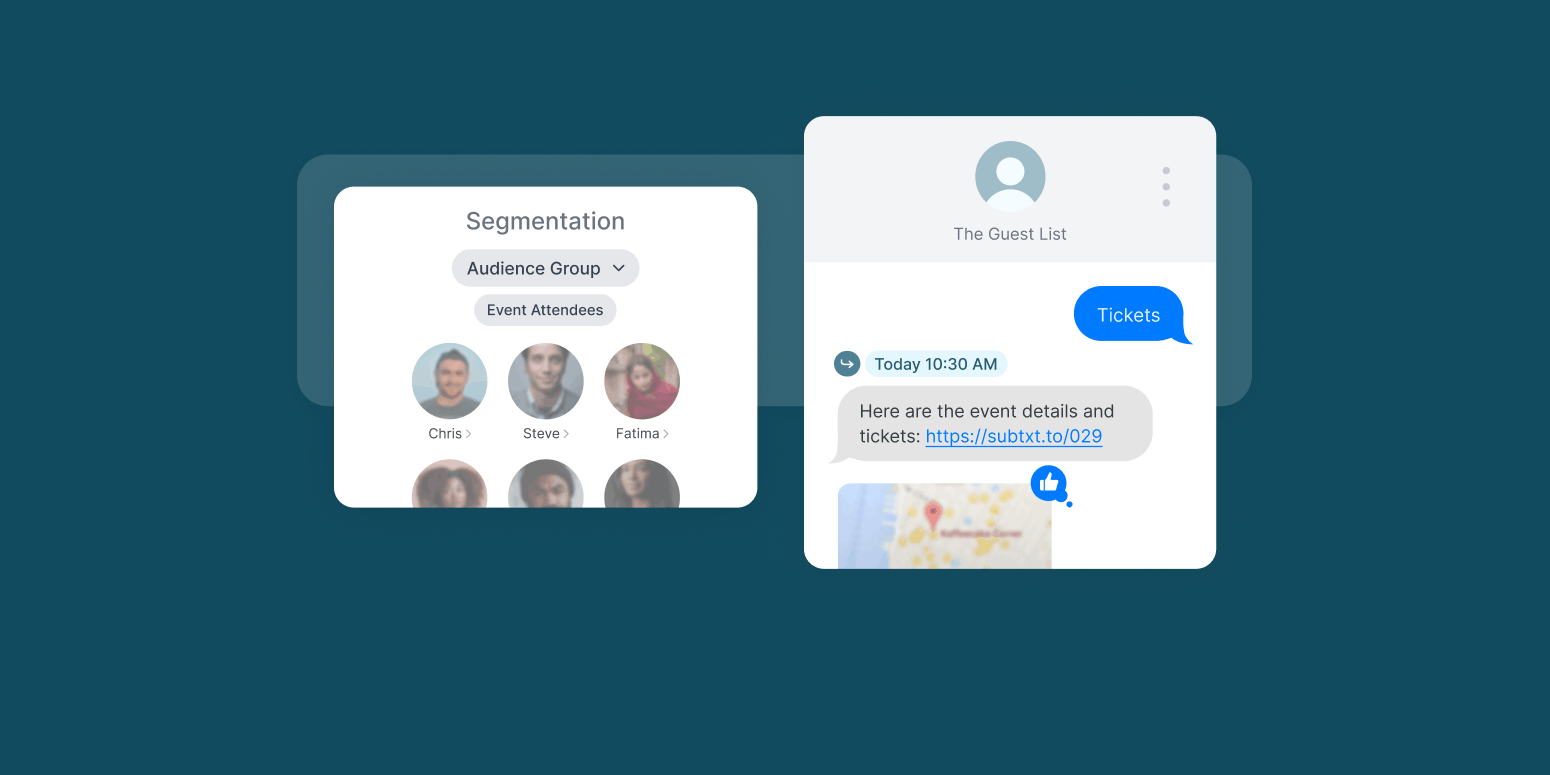
Subtext is built for organizations that want event communication to strengthen the audience relationship, not end when attendees leave the venue. Teams use it to promote an event, send targeted reminders, distribute real-time updates, collect replies, run surveys, support live Q&As, gather feedback, and keep communicating afterward.
Messages arrive in the attendee's native texting inbox, next to conversations with friends and family. No app download is required, which removes a common source of friction: organizers don't have to convince attendees to install, open, and repeatedly check another app during a busy event.
What Subtext gives event teams:
-
Two-way conversations and attendee replies, managed from a unified inbox
-
Audience Groups for targeted communication by ticket type, session, or attendee attribute
-
Scheduled and automated messages
-
Surveys, keywords, and interactive engagement tools
-
Live reporting on clicks, replies, churn, and audience activity
-
MMS for images and visual content
-
API access for connecting to a CRM, data warehouse, or internal systems
-
Opt-in and opt-out workflows, with white-glove support for 10DLC registration
-
First-party subscriber and engagement data
-
Customer Success support from a team with SMS expertise
Why it matters: Audience Groups mean VIP information, weather alerts, session reminders, and sponsor messages reach the people they're relevant to instead of the entire list, so attendees don't tune out the channel. Two-way messaging turns SMS into an actual feedback loop during the event instead of a one-way announcement system, and every reply, survey response, and click becomes first-party data the organization keeps and can use for the next event, a sponsorship pitch, or a membership push.
In practice: Morning Brew has used Subtext as the primary attendee communication tool for its annual Marketing Brew Summit since 2023, texting an audience of 300+ marketers each year. The team imported attendee numbers directly into Subtext, then used scheduling to pre-plan agenda updates and automate day-of communication. During the event, they collected real-time questions for panels, ran giveaways (including three $100 gift cards), and closed with a post-event survey to gather feedback for the next summit. Agenda texts have driven a 98% open rate and more than 36% click-through, and Subtext has stayed the summit's main communication tool every year since. (Read the full case study.)
Not every organization starts with phone numbers already on file. The Association of Alternative Newsmedia used Subtext for its annual conference (142 attendees, a multi-day schedule of sessions and panels) despite not having collected a single number at registration. The team drove opt-ins from scratch through its newsletter, pre-event emails, and an on-site QR code, and still got 83 attendees, nearly 60%, to opt in over the course of the event. Organizers sent 19 texts covering schedule changes, a weather-related cancellation, and sponsor mentions woven into the updates, and the campaign held a 1% churn rate. (Read the full case study.)
Best for: conferences and industry associations, media and publishing events, live shows and audience-driven experiences, sports organizations, membership and nonprofit events, and brands running a recurring event program who want to retain and keep engaging attendees after the event ends.
Considerations: Subtext offers customized plans scoped to the organization's needs, which fits teams that see SMS as an ongoing audience channel more naturally than a one-off tool for a single small event.
2. SlickText: Best for Quick, No-Code Event Campaigns
SlickText is an SMS marketing platform for teams that want to launch without engineering support, with unlimited contacts included on every tier.
Organizers can use text-to-join keywords, scheduled campaigns, automated sequences, segmentation, and two-way messaging to build a basic event flow without custom development. For example, a conference could invite attendees to text a keyword, send a pre-event reminder, share a venue map through MMS, and follow up with a post-event survey.
Why it matters: keyword opt-ins are one of the fastest ways to grow an event list from channels you already have, a newsletter footer, a stage screen, a printed flyer, without building a signup form first.
Best for: festivals, community events, small and midsize conferences, nonprofit events, and organizations running primarily North American campaigns that prioritize ease of setup.
Considerations: SlickText is a general SMS marketing platform rather than one built specifically for ongoing audience engagement, and it's limited to the US and Canada. Teams should check whether its reporting, integrations, and subscriber-management tools can support the program as it grows.
3. TextMagic: Best for International and Variable-Volume Events
TextMagic supports messaging in more than 190 countries with local routing, making it the strongest option here for events with an international attendee base. It runs on a pay-as-you-go model rather than a fixed monthly plan, which suits an organization that doesn't want to commit to a set volume in advance.
Why it matters: for a one-time international conference, a flexible, usage-based model avoids the sunk cost of a fixed plan sized for a program that only runs once.
Best for: international conferences, multi-region events, touring organizations, and teams with seasonal messaging needs whose audience size changes throughout the year.
Considerations: availability and number requirements vary by country, so check coverage for the specific regions involved. TextMagic's segmentation, reporting, and audience-engagement tools are also more basic than platforms built around long-term subscriber relationships.
4. Textedly: Best for Small Events and Straightforward Mass Texting
Textedly focuses on bulk messaging, automated campaigns, and two-way texting, with a text-to-pay feature that can support ticketing, registration, or donation workflows inside the same text thread.
Why it matters: for a small ticketed event, collecting payment inside the same thread used for reminders removes a step between "interested" and "paid."
Best for: local festivals, community fundraisers, small ticketed events, and local businesses with basic messaging requirements.
Considerations: Textedly is US-only. Teams planning to expand their event program should check whether its segmentation, analytics, and conversation-management tools stay sufficient as communication gets more complex.
5. Twilio: Best for Developer-Built Event Communication
Twilio is communications infrastructure, not a complete event marketing workflow. Development teams use its APIs to connect messaging directly to ticketing systems, registration platforms, or proprietary event software, triggering a message after a ticket purchase, building a custom RSVP flow, or sending operational alerts based on real-time event data.
Why it matters: if an event runs on a proprietary ticketing or check-in system, Twilio lets a team build SMS directly into that system's logic instead of running a separate tool alongside it.
Best for: organizations with dedicated development resources, proprietary event platforms, large enterprises, and custom ticketing or registration workflows.
Considerations: there's no visual campaign builder or shared inbox out of the box, and 10DLC registration friction can add real time to a launch. Building on Twilio also means planning for development, maintenance, compliance, and reporting work, not just the platform itself, and teams that want event staff managing campaigns and attendee conversations directly may prefer a platform where those workflows already exist.
6. Omnisend: Best for E-Commerce Events and Multichannel Campaigns
Omnisend combines email, SMS, and web push in one automation builder, with native integrations for Shopify, WooCommerce, and BigCommerce. It fits organizations where an event is one piece of a broader customer lifecycle rather than the whole program: a retailer might promote an in-store event through email, send an SMS reminder to registered customers, and follow up with an offer based on purchase activity.
Why it matters: tying event SMS to the same automation handling email and on-site behavior keeps the customer journey in one system instead of three.
Best for: retail events, product launches, customer loyalty programs, and e-commerce brands coordinating SMS with email and push.
Considerations: SMS is only available on Omnisend's higher-tier plan, not its entry tiers, so confirm plan-level access before you build a campaign around it. Organizations focused on live attendee conversations or an SMS-first community will likely need a more specialized engagement platform.
7. Sakari: Best for CRM-Driven Event Communication
Sakari integrates natively with CRM systems like HubSpot, Salesforce, and Pipedrive, keeping event communication tied to registration status, sales outreach, and account records.
A company could trigger a reminder based on registration status, notify a sales rep when a prospect replies, and log engagement history directly on the attendee's CRM record, useful for B2B events where registration, outreach, and follow-up already happen inside the CRM.
Why it matters: if event follow-up is really a sales or membership renewal process, keeping SMS inside the CRM a team already uses avoids running a second system nobody logs into consistently.
Best for: B2B conferences, corporate event teams, CRM-centered organizations, and sales-led event programs, including international ones.
Considerations: Sakari's value depends heavily on how much the organization already relies on its supported CRM systems. Teams looking for broader attendee engagement, not just CRM-tied messaging, should compare its native campaign and audience-building tools against more specialized platforms.
What Features Should an Event SMS Platform Include?
The best event SMS platform supports the attendee journey before, during, and after the event.
Audience Segmentation
Messages land better when they reflect the attendee's actual experience. Organizers may need to segment by registration status, ticket or membership level, location, session selection, interests, previous attendance, sponsor or exhibitor status, or engagement behavior. Irrelevant messages create noise; targeted communication delivers what attendees need without burying it in updates that don't apply to them.
Real-Time Communication
Events are unpredictable. Rooms change, sessions run late, weather affects plans, and attendees need answers fast. A platform should let a team send immediate updates without a lengthy campaign-building process, and it should let multiple staff members coordinate messaging while the event is live.
Two-Way Messaging
Replies turn SMS from a broadcast tool into an actual communication channel. Attendees may want to ask where to check in, report an issue, respond to a survey, or request more information. A shared workflow for managing those replies gives attendees a better experience without routing them to a separate app or support line.
Scheduling and Automation
Organizers should be able to prepare predictable messages ahead of time: registration confirmations, event countdowns, travel information, check-in instructions, session reminders, post-event surveys, and future-event invitations. Automation cuts manual work and helps make sure something important doesn't get forgotten during a busy event.
Analytics and First-Party Data
Delivery data alone doesn't show whether event communication created value. Look for reporting on click-through rates, reply rates, subscriber growth, survey participation, opt-outs, and group-level performance. These insights show what attendees actually responded to and inform decisions about sponsorships, content, and retention going forward.
Compliance and Deliverability Support
SMS requires documented consent, clear opt-out processes, proper registration, and responsible sending practices. A platform should provide both the tools and the guidance needed to manage these requirements, which matters most when phone numbers are collected through registration forms, ticket purchases, QR codes, contests, or on-site promotions. Having a phone number doesn't automatically mean an organization has permission to send marketing texts; consent language and collection workflows need to be established before the campaign starts.
Integrations and API Access
A platform is more useful when it connects to the systems an event team already runs: ticketing systems, registration platforms, CRMs, membership databases, analytics tools, marketing automation platforms, or internal data systems. These connections cut manual list management and make it easier to personalize messages using registration and attendee data.
How to Choose the Right Platform for Your Event
Start by defining what the SMS program actually needs to accomplish, then work through these questions in order:
-
Is SMS only for logistical alerts, or should it also support engagement and retention? A single reminder tool and an ongoing audience channel are different products.
-
Do attendees need to reply or participate through text? If yes, prioritize a shared inbox and conversation management over a pure broadcast tool.
-
Will the organization keep communicating after the event ends? If the list feeds next year's event, a renewal campaign, or a membership program, prioritize data ownership.
-
Does the platform need to connect with ticketing, CRM, or audience data systems? This can narrow the list quickly toward API-first or CRM-native platforms.
-
Can event staff run it without engineering support? A no-code platform fits a marketing-led team; an API-first platform needs a developer who'll maintain it after launch, not just build it.
-
What compliance and deliverability guidance does the provider actually offer? Confirm 10DLC registration support and how much of the opt-in and consent process the vendor handles versus leaves to your team.
-
Can the platform show how SMS influenced attendance, participation, audience growth, or revenue? If reporting stops at delivery status, it won't answer that question later.
The platform with the most features on paper isn't always the right fit. A tool that's missing the right workflow for how your team actually operates tends to create manual work, limit audience insight, or force a rebuild once the event program grows past what it was set up for.
Build an Audience That Lasts Beyond the Event
Every platform on this list can send a text and take a reply. What matters months later is whether the list built for one event is still yours to use for the next one, and whether your team can run the channel without a developer standing by.
Event SMS should make the attendee experience easier before, during, and after the event, and it can create value well past the final session. Instead of rebuilding an audience from scratch for every event, a team can grow one owned subscriber community that supports future attendance, membership, sponsorship, content, and revenue opportunities.
Subtext is built for organizations that want exactly that: two-way engagement, real audience segmentation, and a subscriber list they fully own, without needing an engineering team to run it. Book a demo with Subtext to see how it fits your event calendar.
FAQ
What's the difference between SMS marketing platforms and API-first platforms like Twilio?
Marketing platforms like Subtext, SlickText, and Sakari come with a visual interface, shared inbox, and built-in compliance tooling, so a marketing team can run them without writing code. API-first platforms like Twilio are infrastructure: a team builds the interface, workflows, and often the compliance handling itself, which gives more flexibility but requires an engineering owner to build and maintain it.
Do I need 10DLC registration for event SMS?
Yes, if the event sends application-to-person SMS from a standard US 10-digit number, 10DLC registration is required, and carriers will throttle or block unregistered traffic. Most marketing-first platforms, including Subtext, help teams through this process; API-first platforms typically leave more of it to the team.
Can I collect payments through event SMS?
Some platforms support this directly. Textedly offers text-to-pay for tickets and donations. Other platforms handle payment through a separate tool connected via API, which is more common on developer-first platforms like Twilio.
Can attendees reply without downloading an app?
Yes, on every platform in this list, messages arrive in the attendee's native texting inbox. That's part of why SMS outperforms app-based event tools: there's no download step between "I have a question" and "I got an answer."