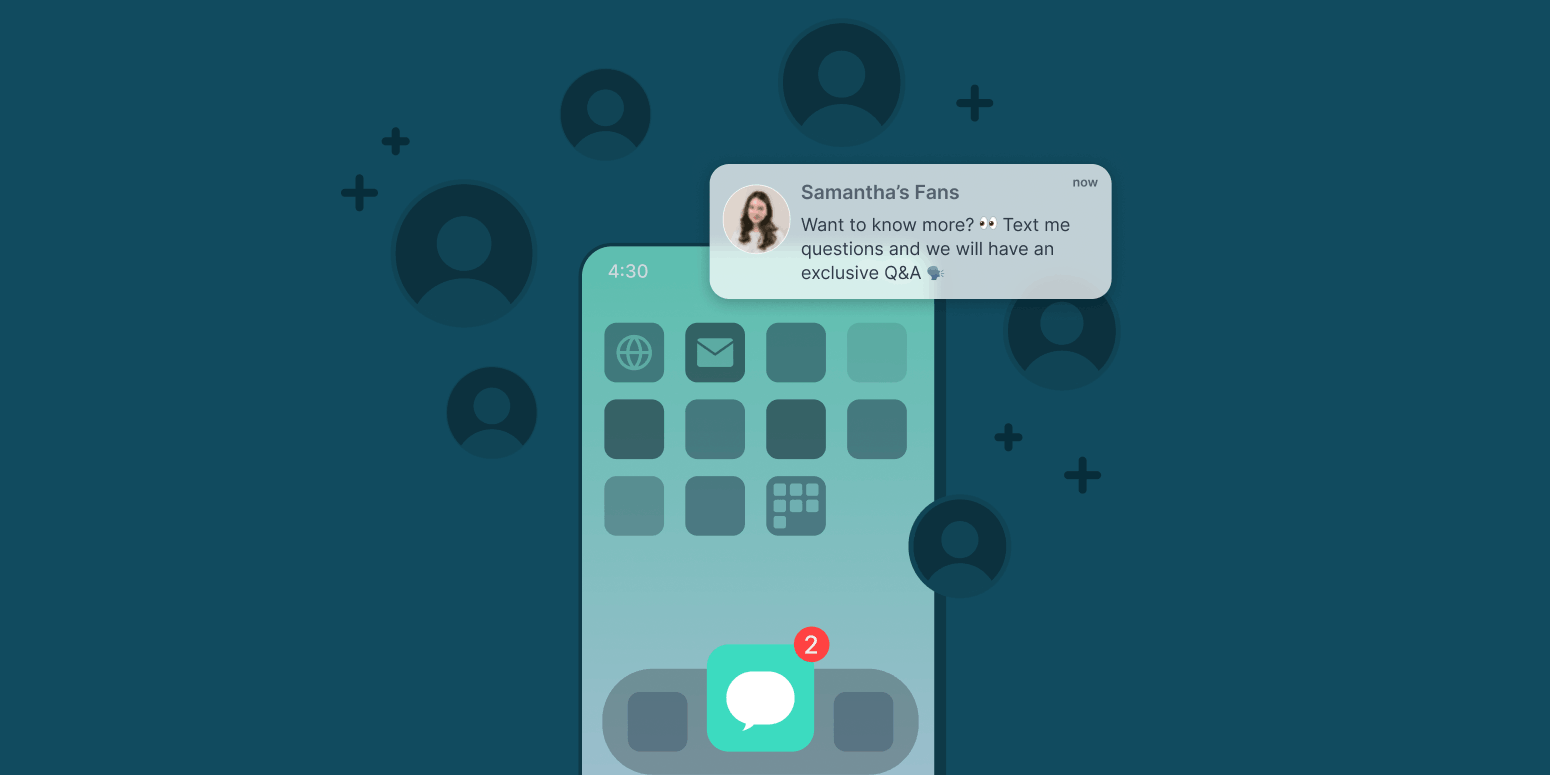
Creators don’t just need more followers. They need reliable ways to reach the people who already care.
Social platforms can build awareness, but creators don’t control who sees each post. Email can be valuable, but inboxes are crowded. Podcast feeds, video subscriptions, newsletters, and social followings all matter, but they don’t always create a direct line to the audience members most likely to reply, share, attend, subscribe, recommend, or participate.
SMS helps close that gap.
A creator text channel gives fans a simple way to hear from you directly and gives you a way to bring them into the creative process. You can use it to promote new content, collect questions, source ideas, drive attendance, gather feedback, share timely updates, and build a stronger connection with your most engaged audience.
But the best creator SMS channels are not random announcement lists. They are built around a clear reason to subscribe, a consistent messaging rhythm, and a two-way relationship that makes fans feel like their participation matters.
This playbook walks through how to launch a creator SMS channel, what to send, how often to send, and how to turn early subscribers into an engaged community.
Why SMS Works for Creators
Audience attention is valuable because audience relationships are valuable.
For creators, the strongest fans are not always the largest group. They are the people who listen regularly, watch consistently, join live conversations, submit questions, recommend the work, and help shape what comes next.
-
Reach fans without depending entirely on algorithms, feeds, or crowded inboxes
-
Promote new episodes, videos, newsletters, events, bonus content, or community moments
-
Ask for questions, stories, reactions, and feedback
-
Source ideas for future content
-
Create a more personal experience for loyal fans
-
Drive clicks, registrations, attendance, subscriptions, and participation
-
Build an owned audience channel that can grow over time
The goal is not to replace social, email, podcasts, video, newsletters, or live events. It is to make those channels work harder by giving your most engaged fans a direct way to stay close.
How to Use This Playbook
Use this playbook to launch a text channel with a clear plan instead of treating SMS like an extra promo link.
It will help you:
-
Define the promise of your text channel
-
Plan your first few weeks of messaging
-
Choose the types of texts you want to send
-
Promote the channel across your existing audience
-
Set a realistic cadence
-
Measure what is working
-
Keep subscribers engaged after launch
You do not need to use every module at once. Start with the sections that match your audience, content format, and goals.
If you host a podcast, questions and listener submissions may be the strongest place to start. If you are a musician, SMS can help with release previews, fan-club updates, show reminders, and behind-the-scenes access. If you are an influencer or digital creator, it can help you gather feedback on merch, product ideas, content formats, and launch plans. If you teach, coach, or run a community, SMS can support reminders, check-ins, discussion prompts, and member participation.
The point is to choose the modules that support the relationship you want to build.
Creator SMS in Action
The best creator SMS channels are built around participation, timing, and access, not just promotion. Here are a few ways creators and media brands have used texting to turn audience attention into action.
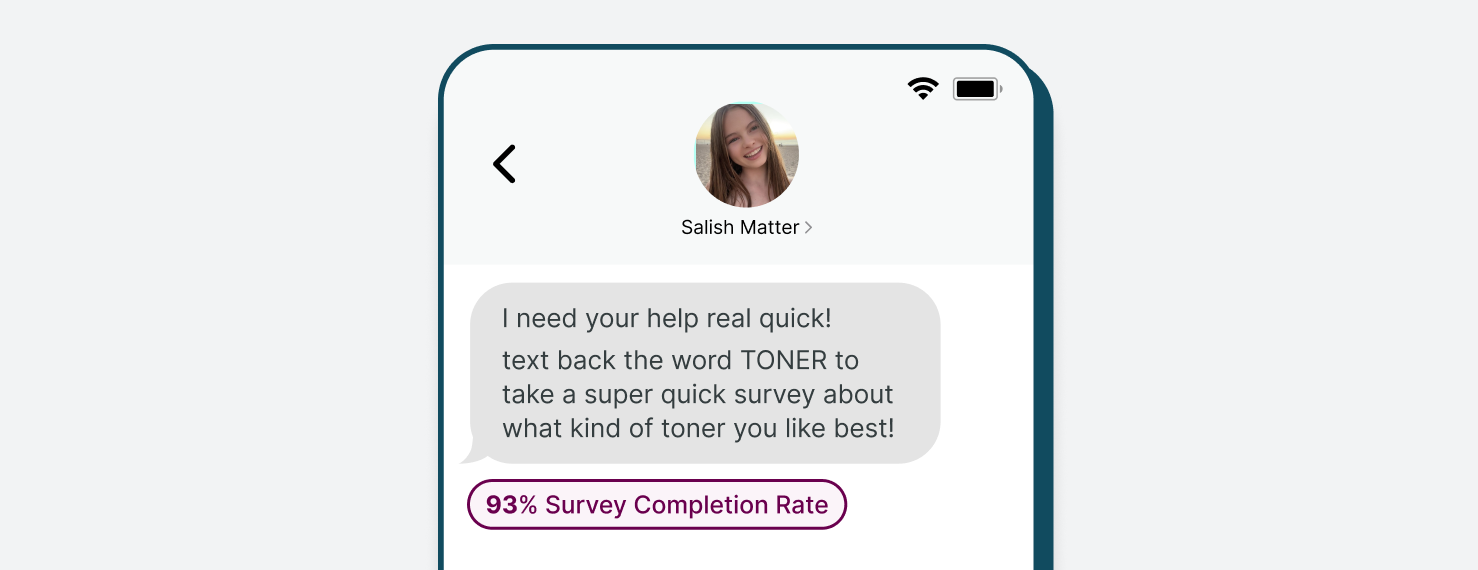
Salish Matter: Turning Fans Into Product Co-Creators
Salish Matter used Subtext to bring fans into the development of her skincare brand, Sincerely Yours. Through SMS, she gathered feedback from more than 60,000 fans on product ideas, names, packaging, and launch details.
That made the audience feel invested before the product was available. When the collection debuted at American Dream Mall, the launch drew major fan turnout and sold out inventory within hours.
The takeaway: SMS can help influencers and creators do more than announce a product. It can help them involve fans early, validate ideas, and build demand before launch.
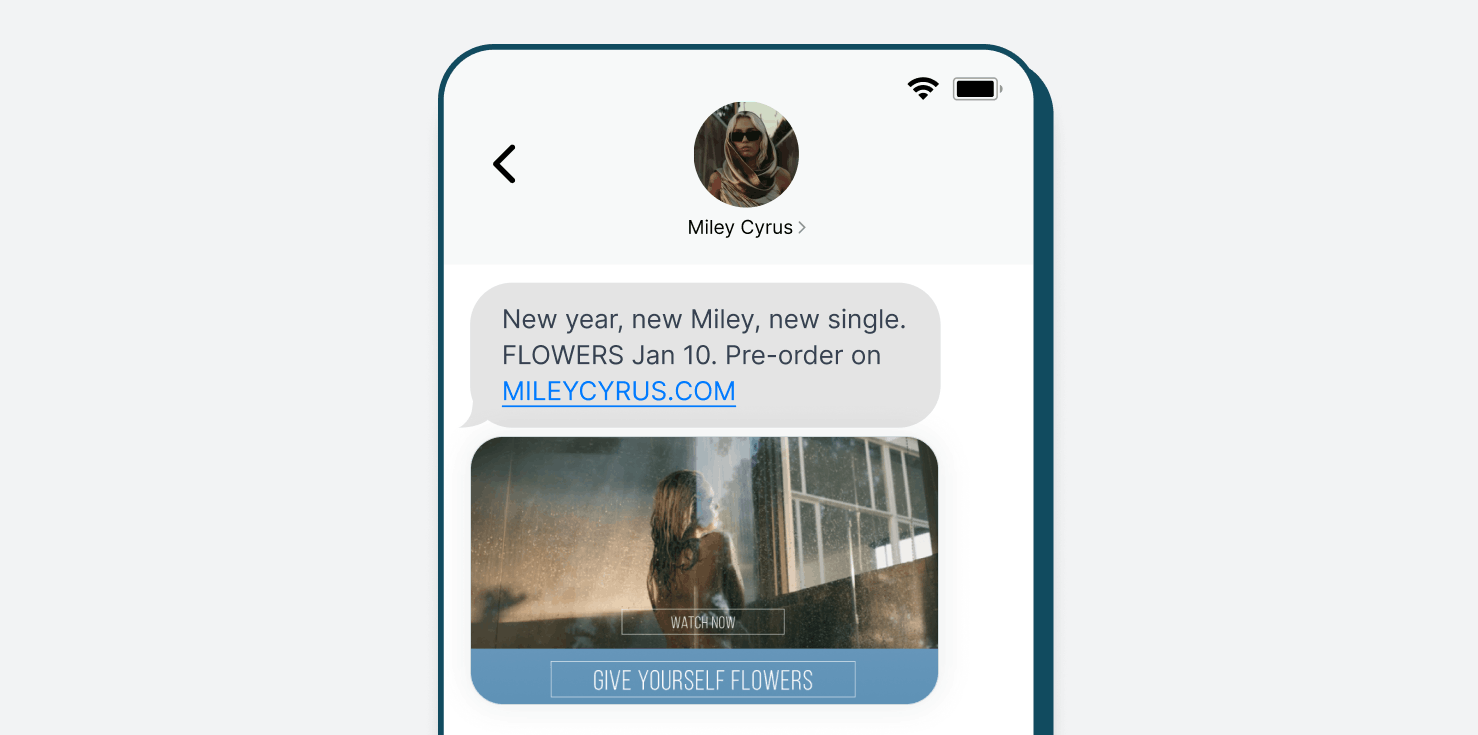
Miley Cyrus: Building Momentum Around a Music Release
Miley Cyrus used SMS to keep fans engaged around the release of “Flowers". Her team sent tune-in reminders for Miley’s New Year’s Eve Party, promoted Spotify and Apple Music pre-saves, shared personalized lyric assets fans could post socially, offered early access to limited-edition vinyl, teased the music video, and texted fans when the single and video went live.
That mix gave fans multiple reasons to stay engaged before, during, and after the release. SMS helped turn the launch into a sequence of fan touchpoints instead of a single announcement.
The takeaway: music creators can use SMS to build momentum around releases, drive pre-saves and tune-ins, reward superfans with early access, and keep fans close during major launch moments.
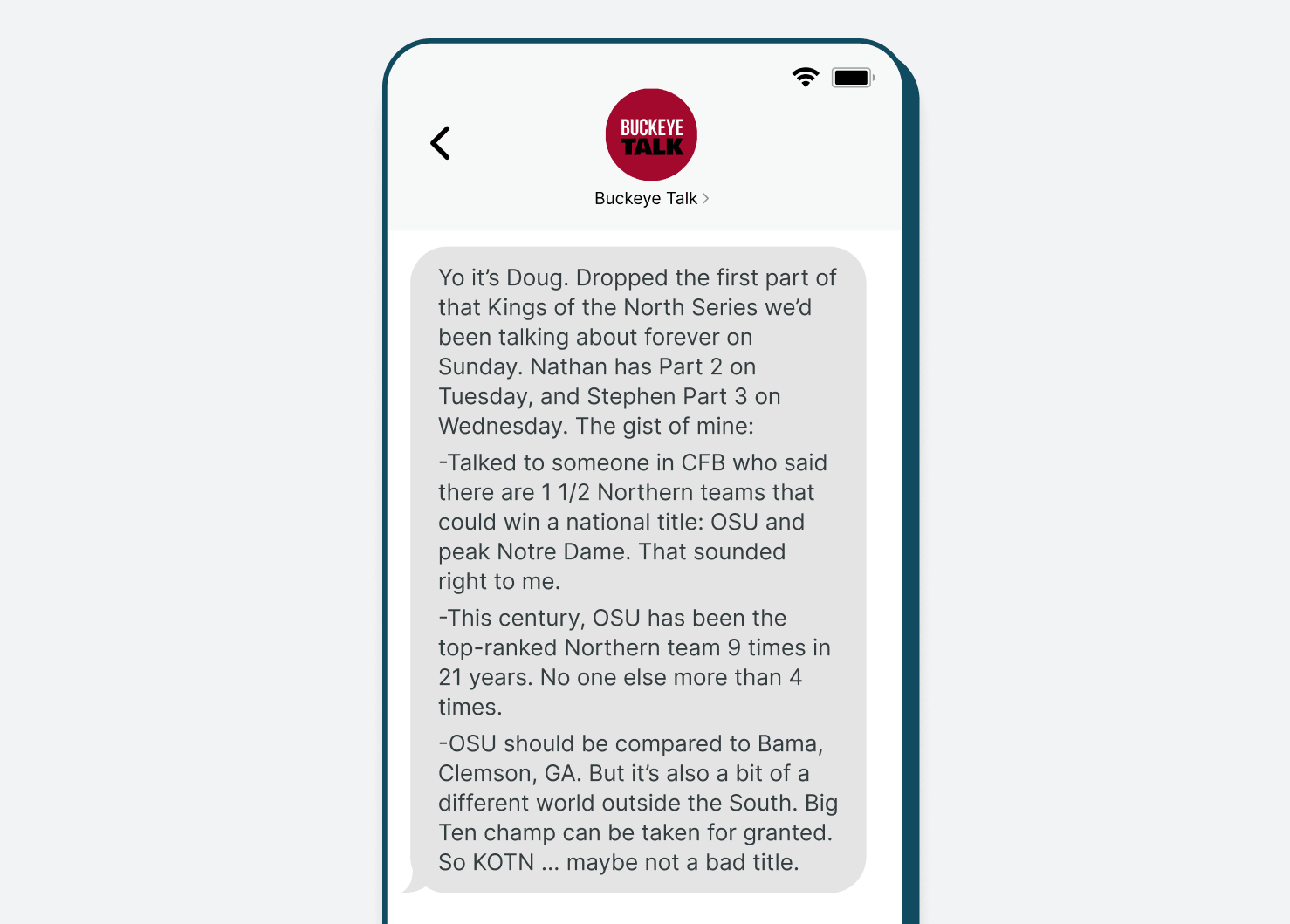
Buckeye Talk: Building a Paid Podcast Community
Buckeye Talk used Subtext to create a paid companion channel for its Ohio State football podcast audience. Subscribers got direct access to the hosts, exclusive content, and the ability to submit questions for future episodes.
The campaign generated $50K in revenue and gave the hosts a reliable way to keep the podcast community active between episodes.
The takeaway: SMS can help podcasters turn loyal listeners into a more engaged community, especially when the channel gives fans access they cannot get from the public feed.
Step 1: Start With the Channel Promise
Before you invite anyone to subscribe, define what they are joining.
A strong SMS channel should answer one question clearly:
Why would a fan want texts from you?
That promise should be specific enough that subscribers know what to expect and compelling enough that joining feels worth it.
Examples:
-
“Get behind-the-scenes thoughts from me a few times a week.”
-
“Text me your questions for future episodes.”
-
“Get early song clips, tour notes, and behind-the-scenes updates before I post them anywhere else.”
-
“Help me shape what comes next, from video ideas to merch concepts to product launches.”
-
“Join my text list for first looks, fan-only questions, and updates I don’t want buried in the feed.”
Avoid vague language like “join my SMS list for updates.” It may be accurate, but it does not give fans a strong reason to subscribe.
A better version would be:
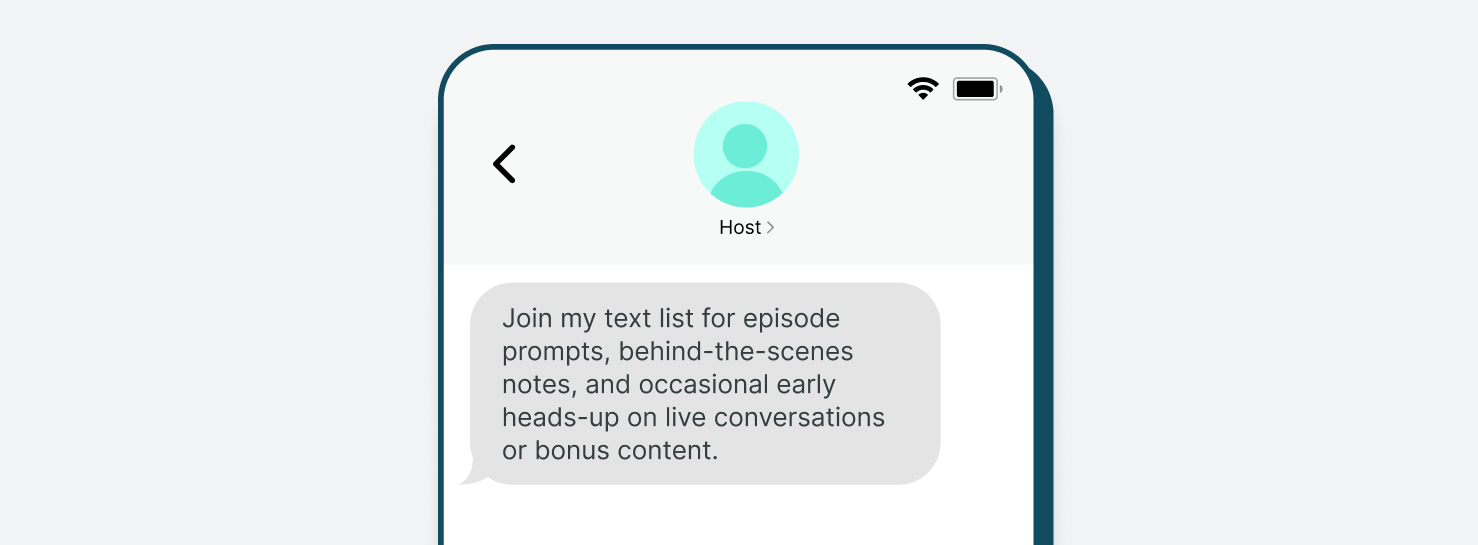
That works because it explains the value. Fans know they are not just signing up for more notifications. They are getting access, participation, and a closer connection to the creator.
Step 2: Define Your KPIs
Before you launch, decide what you want the SMS channel to accomplish.
This keeps the channel focused. It also makes it easier to evaluate what is working once subscribers start joining, replying, clicking, and participating.
Your success metrics should connect to the reason you are launching.
If your goal is audience engagement or community-building, track:
-
Response rate
-
Engagement consistency
-
Repeat responder rate
-
Churn rate
-
Subscriber growth percentage
If your goal is content distribution, track:
-
Click-through rate
-
Conversion rate on linked content
-
Traffic from SMS
-
Engagement with linked content
-
Subscriber segment activity
If your goal is first-party data collection, track:
-
Tag activity
-
Audience segment growth
-
Survey participation rate
-
Survey completion rate
-
Engagement consistency
If your goal is revenue support, track:
-
Click-through rate
-
Conversion rate
-
Revenue tied to SMS links
-
Churn rate among paid subscribers or members
-
Tag activity among high-intent subscribers
You do not need to track everything at once. Pick a few metrics that match your launch goal, then use them to guide your cadence, prompts, content mix, and promotion strategy.
For example, if response rate is low, your prompts may need to be simpler or more specific. If CTR is strong but response rate is weak, your channel may be working well for distribution but needs more conversational moments. If churn rises after a few sends, revisit your expectations, cadence, or message value. If tag activity shows a highly engaged segment, use it to tailor future texts around what those subscribers care about most.
Step 3: Build the First Two Weeks Before Launch
The most common SMS launch mistake is promoting the channel before knowing what will happen next.
Before launch, plan your first two weeks of texts. This helps the channel feel active right away and gives new subscribers a reason to stay.
Your launch plan should include:
-
A welcome message
-
A short expectation-setting message
-
A reply prompt
-
A content promotion message
-
A community follow-up
-
A second prompt or survey
-
One timely reminder, live event note, or subscriber-only update if relevant
Think of the first two weeks as onboarding. Subscribers are deciding whether this channel is worth keeping.
That early period matters because SMS is more personal than a feed follow. When someone gives you their phone number, the value exchange needs to be clear. A thoughtful first two weeks helps prove that your texts will be useful, interesting, or participatory.
Step 4: Choose Your Core Modules
Creator SMS channels work best when they are built around repeatable content types.
You do not need to reinvent the wheel every time you text. Instead, choose a few modules you can return to regularly.
Good creator SMS modules include:
-
Behind-the-scenes notes
-
Fan questions and prompts
-
Submissions
-
New content alerts
-
Live event or community reminders
-
Community highlights
-
Timely reactions
-
Surveys and feedback
-
Subscriber-only or early-access moments
The right mix depends on your goals. A podcast host may lean on questions and submissions. A journalist or commentator may use SMS for timely reactions and reader input. A video creator may use it to drive participation around new releases or livestreams. A community builder may use it for prompts, check-ins, and event reminders.
Consistency is what turns SMS from a launch tactic into an audience habit. When subscribers understand what kind of value they will get, they are more likely to pay attention when the next message arrives.
Step 5: Set a Cadence You Can Sustain
A good starting point for many creator channels is 3–5 texts per week.
That is frequent enough to build a habit, but not so frequent that subscribers feel overwhelmed. You can adjust based on engagement, opt-outs, and the type of content you create.
A simple weekly rhythm could look like this:
-
Monday: Behind-the-scenes note
-
Tuesday or Wednesday: Question, survey, or fan prompt
-
Thursday: New content alert
-
Friday: Recommendation, community highlight, or live reminder
You may text more during launches, live events, breaking news, major cultural moments, or time-sensitive opportunities. The key is to make the extra messages feel relevant, not random.
Cadence matters because direct access is only valuable if it is used intentionally. Text too rarely and fans may forget why they subscribed. Text without a clear reason and the channel can start to feel noisy.
Step 6: Pick a Consistent Message Format
Creator texts should feel personal, but they still need structure.
A simple format helps fans understand what to do with each message:
-
Context: Why are you texting?
-
Value: What does the subscriber get?
-
Action: What should they do next?
For example:
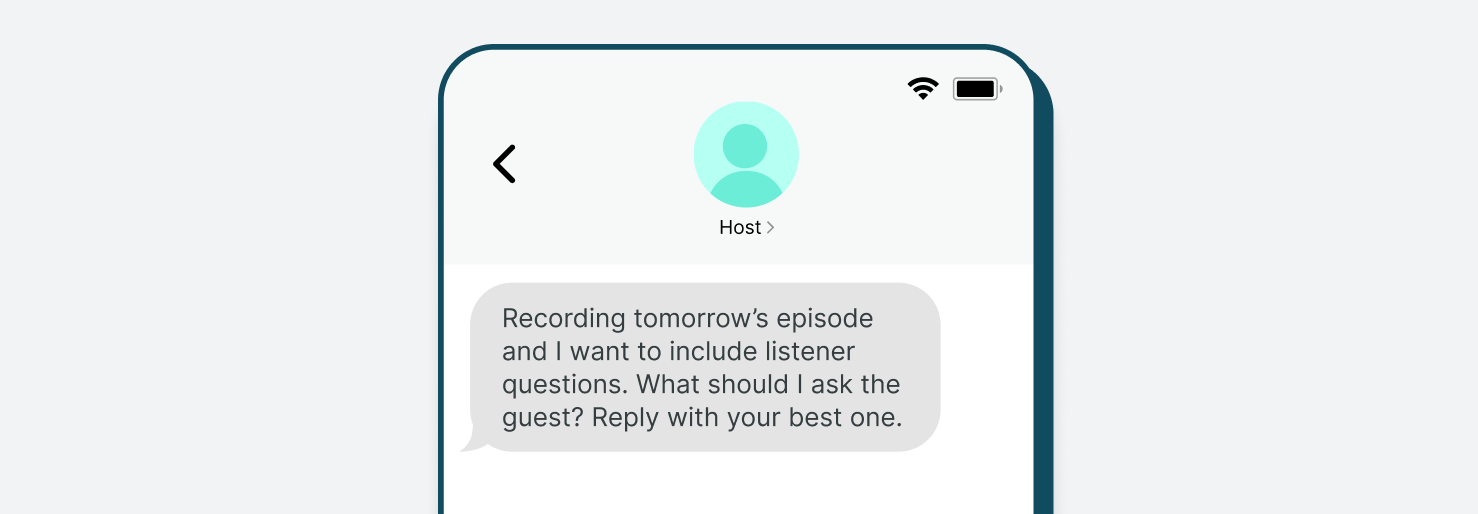
That text works because it is clear, participatory, and easy to answer.
Another example:
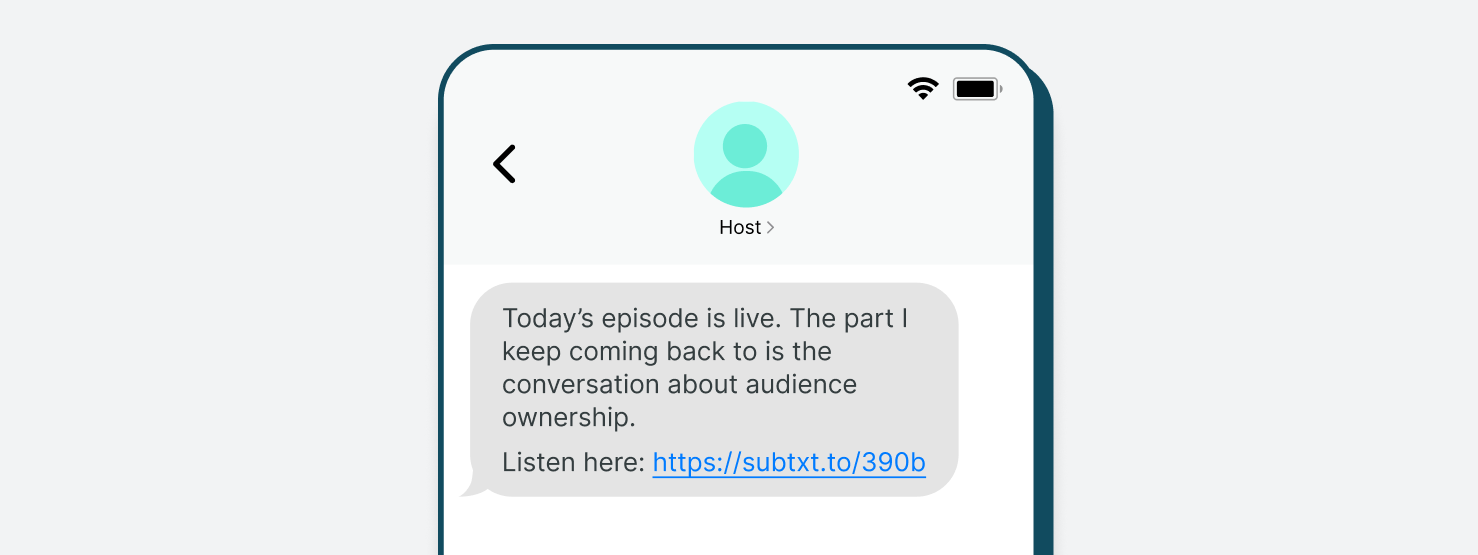
That is stronger than a generic “new episode is live” message because it gives fans a reason to care.
Every message should have a job. Sometimes the job is to drive a click. Sometimes it is to spark replies. Sometimes it is to make fans feel closer to the work.
Subtext Features That Make Creator SMS Easier
Subtext helps creators turn texting into an audience engagement channel, not just a broadcast tool.
Creators can use Subtext to:
-
Launch a dedicated SMS channel for your biggest fans
-
Let fans subscribe by texting your dedicated phone number
-
Share signup links across social, email, websites, and show notes
-
Embed signup forms on owned pages
-
Use QR codes for live events, posters, meetups, and in-person promotion
-
Send direct messages to subscribers
-
Collect replies, questions, feedback, and submissions
-
Send SMS surveys to gather fan feedback and interests
-
Segment audiences based on interests, behavior, or campaign needs
-
A/B test messaging and track engagement to learn what fans respond to
-
Build repeatable workflows for content promotion, fan participation, and community-building
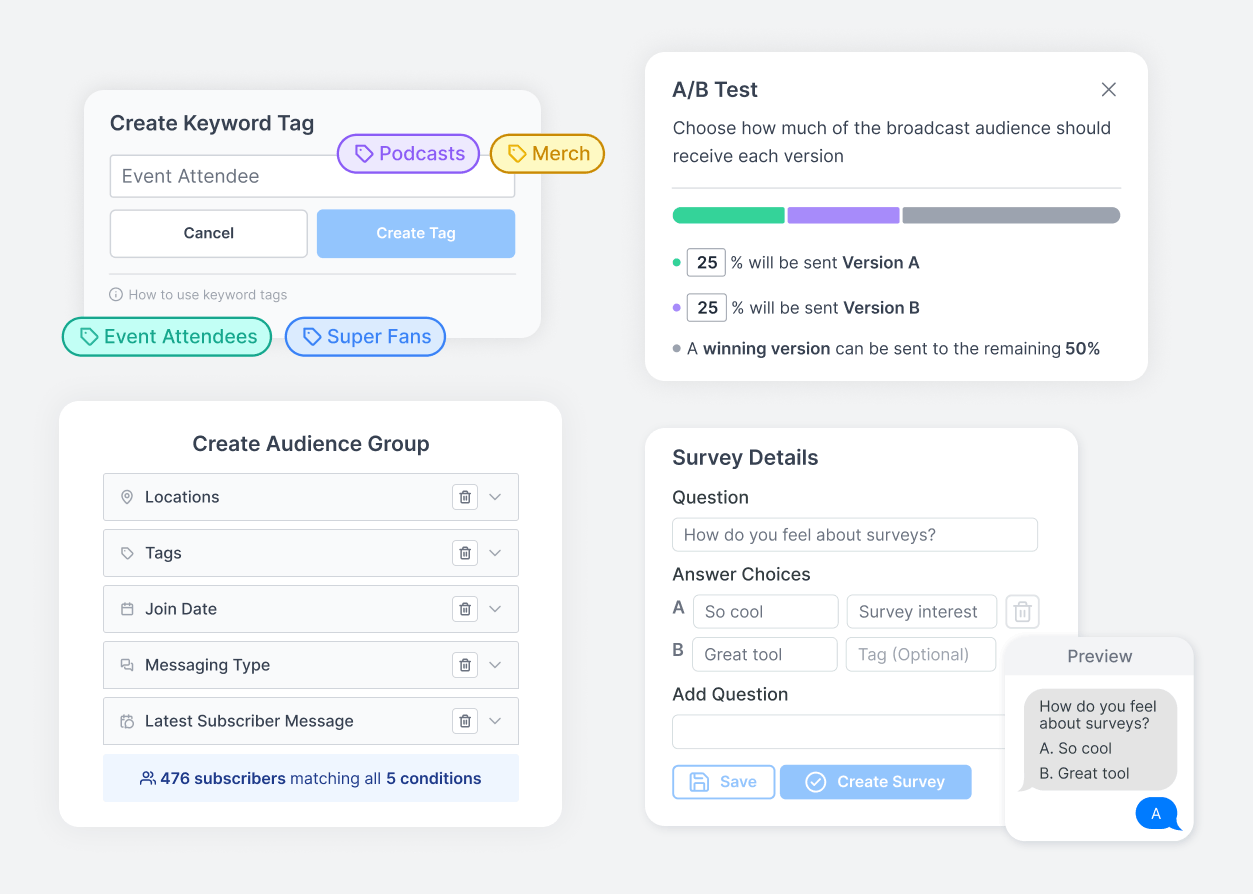
The real value is not just that creators can send texts. It is that they can build a direct audience relationship with fans who want to hear from them and are willing to respond.
Creator SMS Modules
Module A: Welcome and Onboarding
Purpose
Give new subscribers a clear reason to stay.
The welcome message is your first chance to set expectations, reinforce the value of the channel, and invite a reply.
Why It Matters
A new subscriber just chose to hear from you directly. Use that moment to confirm they made the right choice and show them the channel is interactive, not passive.
Use This Module To:
-
Explain what kind of texts they will receive
-
Share your custom contact card
-
Set a rough cadence
-
Ask an easy first question
Sample Texts
“Thanks for joining my text list. I’ll send a few notes each week with episode prompts, behind-the-scenes thoughts, and questions for you. First one: what made you want to join?”
“Welcome in. I’ll use this channel for early updates, fan questions, and quick thoughts I do not always post publicly. Reply and tell me what you want more of.”
“You’re on the list. I’ll text a few times a week with new content, questions, and occasional early updates. To start: where are you watching/listening from?”
Cadence
Send immediately after signup.
Measure
-
Response rate
-
Early opt-out rate
-
Subscriber growth by source
-
Common themes in first replies
Common Failure Modes
-
Sending a generic “thanks for signing up” with no personality
-
Failing to explain what subscribers will get
-
Not asking for a reply
-
Going quiet after the welcome message
Module B: Behind-the-Scenes Access
Purpose
Make subscribers feel closer to the creator and the creative process.
Fans often join a text channel because they want more personal access than they get from public posts.
Why It Matters
Behind-the-scenes access gives fans a reason to stay subscribed even when you are not promoting something. It makes the channel feel like a closer layer of the creator experience.
Use This Module To
-
Share what you are working on
-
Explain why a topic matters to you
-
Preview a guest, episode, video, article, or project
-
Share a quick thought that does not need to become a full post
Sample Texts
“Working on tomorrow’s episode now. The part I keep coming back to is [topic]. Curious if that stands out to you too.”
“Studio update: I’m working through two versions of this chorus. Want to hear a quick clip and tell me which one feels stronger?”
“Filming tomorrow and trying to decide which concept to lead with. Reply 1 or 2 and I’ll send the winning idea first.”
Cadence
1–2 times per week.
Measure
-
Response rate
-
Click-through rate if linked to content
-
Qualitative feedback
-
Opt-out rate after more personal messages
Common Failure Modes
Making the text too polished
Sharing something that feels generic or already available everywhere
Forgetting to connect the behind-the-scenes note to a clear reason fans should care
Module C: Fan Questions and Prompts
Purpose
Turn subscribers into active participants.
SMS is especially useful because fans can reply directly. Creator channels should use that advantage often.
Why It Matters
Audience participation makes the channel more valuable for both sides. Fans feel heard, and creators get questions, reactions, ideas, and language directly from the people most invested in the work.
Use This Module To
-
Source questions for episodes, videos, newsletters, articles, or livestreams
-
Ask fans what they want covered next
-
Collect opinions, hot takes, and reactions
-
Create audience-led segments
Sample Texts
“I’m planning next week’s episode. What topic do you want me to spend more time on?”
“What’s one question you wish I had asked today’s guest?”
“Mailbag time. Reply with a question, story, or voice memo for a future episode.”
Cadence
1–2 times per week.
Measure
-
Response rate
-
Number of usable submissions
-
Repeat responders
-
Content ideas generated
-
Engagement on content that uses fan submissions
Common Failure Modes
-
Asking questions that are too broad
-
Asking too many questions without ever using the answers
-
Failing to close the loop with subscribers
-
Making participation feel like homework
Module D: New Content Alerts
Purpose
Drive attention to your highest-value content.
SMS can help creators cut through noise when a new episode, video, newsletter, article, livestream, or bonus piece is live.
Why It Matters
Not every fan will see every post, email, or feed update. SMS gives creators a way to point engaged subscribers toward content that matters most, especially when timing or participation is important.
Use This Module To
-
Promote new podcast episodes
-
Drive YouTube views
-
Share newsletters or articles
-
Promote livestreams
-
Point fans to bonus content
Sample Texts
“Today’s episode is live. The part I keep thinking about is [topic]. Listen here: [link]”
“New track is out. This one started as a voice memo and turned into one of my favorites. Listen here: [link]”
“Just posted the first look at something I’ve been working on for months. Watch it here: [link]”
Cadence
1–3 times per week, depending on publishing schedule.
Measure
-
Click-through rate
-
Traffic from SMS
-
Listen, view, or read behavior when available
-
Replies to content prompts
-
Opt-outs after promotional texts
Common Failure Modes
-
Sending only “new episode is live” messages
-
Using the same copy as social or email
-
Including too many links or calls to action
-
Promoting every piece of content equally instead of prioritizing what matters most
Module E: Live Events, Community Moments, and Timely Reminders
Purpose
Use SMS to drive participation around moments that benefit from immediacy.
For many creators, SMS is most useful when there is something happening now or soon: a livestream, Q&A, meet-up, workshop, episode premiere, community discussion, conference appearance, or live recording.
Why It Matters
Participation often depends on timing. SMS can help creators reach high-intent fans quickly when attention matters most.
Use This Module To
-
Remind fans about livestreams
-
Promote live Q&As or AMAs
-
Drive registrations for workshops or community events
-
Coordinate meetups or live recordings
-
Invite questions before or during an event
Sample Texts
“Tour update: I’m announcing the next city tomorrow. Text list gets the first heads-up before I post it.”
“Going live tonight to preview a new song and answer questions. Send me one before we start: [link]”
“Thanks to everyone who joined last night. The question I’m still thinking about is [question]. I may build next week’s episode around it.”
Cadence
Use around specific events, live moments, or programming windows.
Measure
-
Registrations
-
Attendance
-
Response volume
-
Questions submitted
-
Click-through rate
-
Follow-up engagement
-
Opt-out rate during reminder-heavy periods
Common Failure Modes
-
Sending reminders without explaining why the event matters
-
Waiting until the last minute to promote
-
Not segmenting by location or interest when relevant
-
Failing to follow up after the event
Module F: Community Highlights
Purpose
Show subscribers that the channel is active and that their replies matter.
Community highlights help turn individual replies into a shared experience.
Why It Matters
When fans see that replies influence the conversation, they are more likely to keep participating. That creates a loop between subscriber input and future content.
Use This Module To
-
Share common themes from fan replies
-
Highlight interesting questions
-
Reflect audience sentiment
-
Show that feedback is being read
-
Encourage more people to participate
Sample Texts
“A lot of you had the same reaction to yesterday’s episode: [theme]. I want to dig into that more next week.”
“The most common answer to yesterday’s poll surprised me. Most of you picked [answer].”
“Someone texted in a question I can’t stop thinking about: [question]. I may build a full episode around it.”
Cadence
1 time per week or after high-response prompts.
Measure
-
Response rate on follow-up messages
-
Repeat participation
-
Number of themes or content ideas generated
-
Subscriber sentiment
-
Engagement on content inspired by replies
Common Failure Modes
-
Asking for input but never acknowledging it
-
Sharing fan feedback without context
-
Making community highlights feel performative instead of useful
-
Overusing subscriber replies without permission when quoting directly
Module G: Timely Reactions
Purpose
Use SMS when speed and relevance matter.
Creator audiences often want to hear what you think in the moment. SMS is useful for quick reactions that do not need to become a full post, episode, or video.
Why It Matters
Timely texts can make subscribers feel like they are part of the moment with you, especially when the reaction is thoughtful, useful, or distinctly in your voice.
Use This Module To
-
React to breaking news
-
Share thoughts during live events
-
Comment on sports, entertainment, industry, or cultural moments
-
Point fans to deeper coverage
-
Ask for immediate reactions
Sample Texts
“That announcement was bigger than I expected. My first read: [quick reaction]. What did you think?”
“I’m watching [event] now and one thing stands out: [observation]. Am I overthinking it?”
“This feels like something we’ll be talking about all week. Send me your first reaction.”
Cadence
Use when relevant. Do not force it.
Measure
-
Response velocity
-
Click-through rate if linking to deeper content
-
New content ideas generated
-
Subscriber retention during high-volume moments
-
Opt-out rate if sending multiple timely texts
Common Failure Modes
-
Texting just to be first
-
Sending reactions that do not add anything distinct
-
Over-messaging during live events
-
Treating urgent moments like generic promotion
Module H: Surveys and Feedback
Purpose
Make it easy for fans to tell you what they want.
Surveys and lightweight feedback prompts help creators understand their audience without requiring a long form or formal research process.
Why It Matters
Creators often infer what audiences want based on views, likes, comments, or downloads. SMS gives them a more direct way to ask, whether they are planning content, testing a live format, choosing a merch concept, or shaping a product idea.
Use This Module To
-
Choose between content ideas
-
Test interest in events, series, products, or formats
-
Learn audience preferences
-
Gather feedback on episodes, videos, newsletters, or live sessions
-
Segment fans based on interests
Sample Texts
“I’m choosing the next merch design and need your vote. Reply A for the handwritten logo or B for the photo design.”
“I’m working on a product idea for this community. What would you actually use: a kit, a guide, or a live workshop?”
“Before this launches, I want your take. Which name feels more like something you’d share: [Option A] or [Option B]?”
Cadence
1 time per week or around planning moments.
Measure
-
Response rate
-
Preference trends
-
Content or product decisions influenced
-
Segment growth
-
Future engagement by response group
Common Failure Modes
-
Asking questions you do not plan to act on
-
Making the choices confusing
-
Running too many surveys without sharing what you learned
-
Treating feedback as a one-time survey instead of an ongoing loop
Module I: Subscriber-Only Access
Purpose
Give subscribers a reason to feel like the text channel is worth joining and staying in.
Subscriber-only access does not have to mean paid content or product drops. It can be as simple as sharing an early thought, a first look, a bonus prompt, a private link, or a chance to shape something before it goes public.
Why It Matters
A text channel becomes more valuable when subscribers get something distinct from the public feed. That sense of access can increase loyalty and participation.
Use This Module To
-
Share early access to content
-
Preview upcoming topics or guests
-
Invite subscribers to submit questions first
-
Share subscriber-only recommendations
-
Invite feedback before publishing
Sample Texts
“Text list gets this first: I’m working on a piece about [topic]. What should I make sure I include?”
“I’m recording with [guest] tomorrow. Send me a question and I’ll try to work a few in.”
“First look for this list only: I’m testing a new merch design. Would you wear this, or should I keep working on it? [link]”
“I’m sharing a short preview of the next track here before it goes public. Reply and tell me what lyric sticks with you.”
Cadence
1–2 times per month or around meaningful moments.
Measure
-
Click-through rate
-
Reply rate
-
Quality of feedback
-
Repeat participation
-
Retention among engaged subscribers
Common Failure Modes
-
Calling something exclusive when it does not feel meaningfully different
-
Overpromising access that is hard to maintain
-
Making every subscriber-only message promotional
-
Forgetting to use subscriber feedback after asking for it
Sample Two-Week Creator SMS Launch Plan
Week 1: Announce and Onboard
The first week should prove the channel has a purpose. The goal is not just to collect subscribers. It is to show fans that texts from you will be worth opening.
Day 1: Launch Announcement
“Big thing: I’m opening up a text channel so I can share quick thoughts, episode prompts, and questions directly with you. Text me here to join.”
Day 2: Welcome and Expectations
“Thanks for joining. I’ll text a few times a week with behind-the-scenes notes, questions, and early updates. First one: what made you want to join?”
Day 3: Fan Prompt
“I’m planning next week’s episode now. What topic do you want me to spend more time on?”
Day 4: New Content Alert
“Today’s episode is live. The part I keep thinking about is [topic]. Listen here: [link]”
Day 5: Close the Loop
“A bunch of you asked about [topic], so I’m adding it to next week’s plan. Keep the questions coming.”
Week 2: Build the Habit
The second week should make the channel feel like part of the creator experience. Mix access, participation, and useful reminders so subscribers understand the ongoing value.
Day 6: Behind-the-Scenes Note
“Recording later today. The question I’m trying to answer: [question]. Curious how you’d approach it.”
Day 7: Survey
“Quick question: should I do more short solo episodes or longer guest interviews? Reply SOLO or GUEST.”
Day 8: Live Reminder
“I’m going live at 7 p.m. ET to talk through [topic]. Text me a question before then and I may answer it live.”
Day 9: Reinforce the Value
“This text channel is already shaping future episodes. Appreciate everyone sending questions and ideas. More soon.”
How to Promote a Creator SMS Channel
A successful launch needs repeated promotion across the places your audience already pays attention.
Your best potential subscribers may not convert from one mention. A listener may need to hear the CTA in a podcast, see it in a social bio, and notice it again in a newsletter before joining.
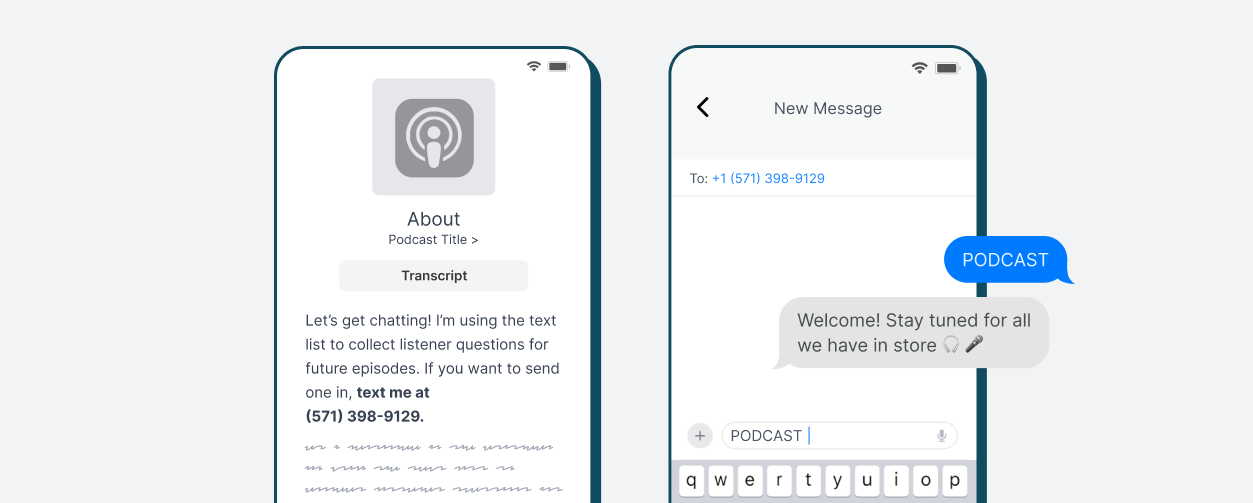
Text-to-Sign-Up
Let fans subscribe by texting into your number.
Example:
“Text PODCAST to [number] to join my text list.”
This works well in podcasts, videos, livestreams, live events, and social captions because it is simple and easy to remember.
Signup Link
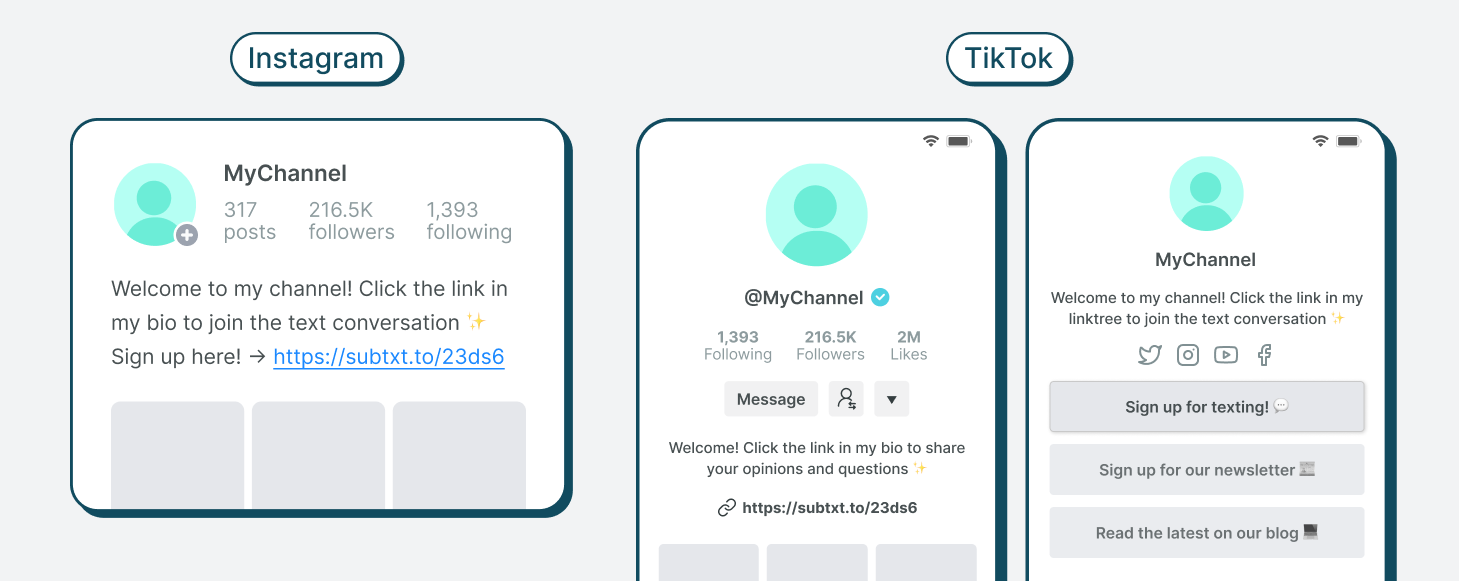
Every creator should have a dedicated signup URL.
Use it in social bios, link-in-bio pages, YouTube descriptions, podcast show notes, newsletter footers, website navigation, event pages, and community posts.
Do not just share the link. Explain what fans will get when they subscribe.
Website Embed
Add an SMS signup form to high-intent pages, including your homepage, podcast page, newsletter page, about page, video description pages, event pages, article pages, and registration confirmation pages.
Website visitors are already interested. Make it easy for them to join.
Launch Article or Announcement Post
A launch article gives fans more context and helps explain the value of the channel.
Include why you are launching, what subscribers will receive, how often you will text, how fans can reply, and how to sign up.
SMS Links
SMS links are useful on mobile-first platforms like Instagram, TikTok, and YouTube. They can open a subscriber’s messaging app with your number already loaded, reducing signup friction.
QR Codes
QR codes are helpful for in-person promotion, including event signage, posters, flyers, live show slides, conference booths, workshop materials, and community meetups.
Live Callouts
Talk about the text channel directly where fans are already listening or watching, including podcast intros, livestreams, YouTube videos, live events, webinars, and community sessions.
Make the CTA specific.
Instead of:
“Join my text list.”
Try:
“I’m using the text list to collect listener questions for future episodes. If you want to send one in, text me at [number].”
Specificity turns the CTA from a generic subscription ask into an invitation to participate.
Measurement: What Creators Should Track
Creator SMS does not need to be overcomplicated at launch. Start with metrics that show whether the channel is growing, engaging, and supporting your goals.
Track:
-
Subscriber growth
-
Signup source performance
-
Welcome message reply rate
-
Response rate
-
Repeat responders
-
Click-through rate
-
Survey participation
-
Content traffic from SMS
-
Event registrations
-
Live attendance
-
Community participation
-
Opt-out rate
The goal is not just to see how many people joined. The goal is to understand whether SMS is helping you build a stronger relationship with your most engaged fans.
The best signals are often behavioral. Are people replying? Are they clicking? Are they showing up? Are their responses helping shape better content? Those signals tell you whether the channel is creating real audience value.
Common Failure Modes
Failure Mode 1: Launching Without a Plan
If you promote the channel before knowing what you will send, subscribers may join and then hear nothing.
Fix it by planning at least two weeks of messages before launch.
Failure Mode 2: Treating SMS Like Social Media
SMS is more direct and personal than a public feed. Copying and pasting social captions into texts usually feels flat.
Fix it by writing like you are texting one person.
Failure Mode 3: Only Sending Promotional Messages
Fans may tolerate promotion when the channel is valuable, but they are unlikely to stay if every text asks them to click, register, attend, or watch.
Fix it by balancing promotion with questions, behind-the-scenes notes, community highlights, and useful updates.
Failure Mode 4: Ignoring Replies
If fans reply and never feel heard, they may stop participating.
Fix it by referencing common themes, using fan questions in content, and closing the loop when audience input shapes what you make.
Failure Mode 5: Making Signup Too Hard
If fans have to work to find the signup flow, many will not join.
Fix it by using multiple entry points: text-to-sign-up, signup links, embeds, SMS links, QR codes, and live callouts.
Failure Mode 6: Texting Too Infrequently
If fans only hear from you once in a while, they may forget why they subscribed.
Fix it by setting a manageable weekly cadence and sticking to it.
A Creator SMS Plan You Can Actually Run
A creator SMS channel works best when it becomes part of the content workflow.
Before publishing, ask fans what they want covered.
After publishing, ask what stood out.
Before a live event, invite questions or drive RSVPs.
After an event, thank fans and share what came out of it.
Before a new series, ask subscribers what they want included.
After a major moment, ask what they want next.
That rhythm is what makes SMS valuable. It connects the audience to the work before, during, and after important moments.
When creators use SMS consistently, they can turn passive followers into active participants. They can learn what fans care about, bring audience ideas into the content, and create a sense of access that public platforms rarely provide.
Start with a clear promise. Pick a few repeatable modules. Promote the channel often. Give fans reasons to reply. Then use those replies to make the next text, episode, video, event, or launch better.
Build a Creator SMS Channel With Subtext
Subtext helps creators build text channels that feel personal, useful, and easy to manage.
With Subtext, creators can launch a dedicated SMS number, promote signup links across existing channels, collect replies, segment subscribers, track engagement, and create repeatable workflows for content promotion, fan participation, live events, feedback, and community-building.
The result is not just another place to send announcements. It is a direct channel for building stronger relationships with the fans who are most likely to listen, watch, reply, share, attend, and participate.
Ready to launch a creator SMS channel your fans actually want to join? Book a demo with Subtext to see how texting can help you build a more direct, engaged, and valuable audience relationship.