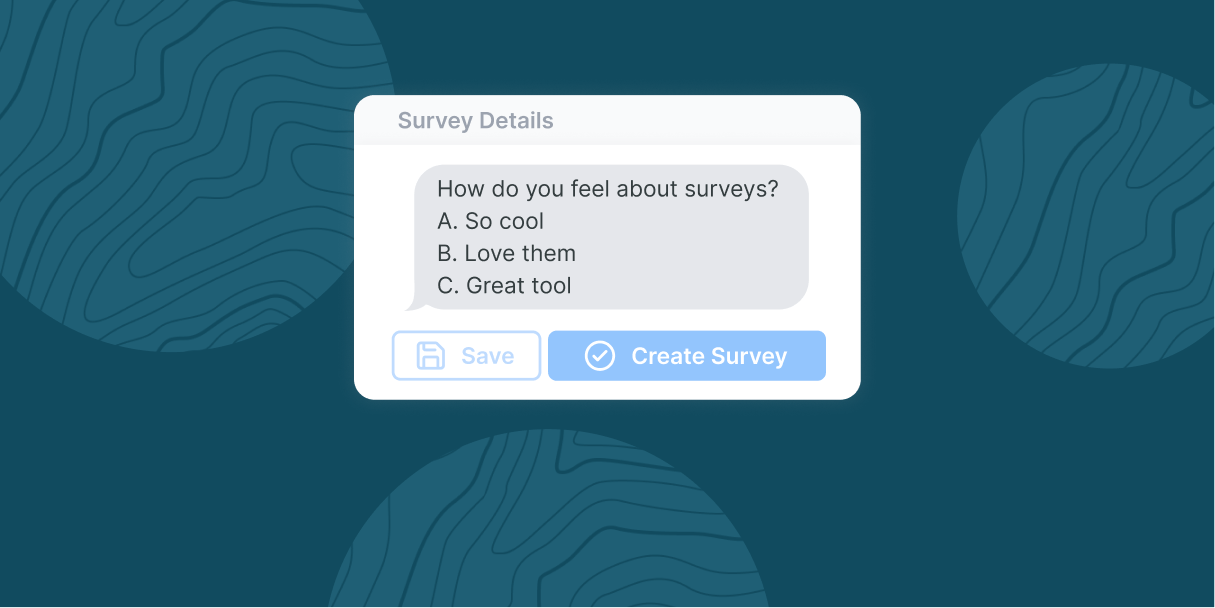
There's a 30-second solution to most content planning challenges. It's asking your audience directly.
An SMS survey is a feedback collection method that sends questions directly to respondents via text message, allowing them to reply instantly from their mobile device. This approach helps you prioritize what matters most to the people you want to bring in—but the wrong approach kills response rates. Instead of waiting weeks for survey responses or hoping your social media poll reaches enough people, text surveys let you tap into your audience's preferences in real time.
SMS surveys cut straight to the point, reaching people on their phones when they're ready to engage in seconds, not days. To really achieve success, it all comes down to strategic execution.
Key Takeaways
- SMS surveys deliver higher response rates than email or social media, with most responses arriving within minutes.
- Keep questions simple and limited to 3-4 per survey for best completion rates.
- Respect timing and quiet hours to maintain subscriber trust and reduce opt-outs.
- Always share results with your audience to close the feedback loop and build community.
- Use survey data for segmentation to create more targeted, relevant follow-up messaging.
Why SMS Surveys Dominate Other Feedback Methods
The psychology behind SMS survey success isn't complicated. At its simplest, it's a matter of convenience and timing. Text surveys give you:
- Quick setup
- Direct audience input
- Cost-effective results
When someone receives a text message, they usually read it within minutes. SMS surveys typically achieve 30-45% response rates compared to 10-15% for email surveys. With email, an open rate above 30% is considered a solid win.
| Factor | SMS Surveys | Email Surveys | Social Media Polls |
| Response Rate | 30-45% | 10-15% | 5-10% |
| Average Response Time | Minutes | Hours to days | Hours to days |
| Engagement Level | High (direct, personal) | Medium (often ignored) | Low (algorithm-dependent) |
Yet this immediacy factor is just the beginning. Feedback creates partnership, not just patronage. When people engage, they stop being your audience and start being your community. Subscriber lists generate numbers, but invested communities generate loyalty.
When and Why to Use SMS Surveys
The best surveys serve dual purposes: they gather actionable information while bolstering audience relationships. These proven scenarios demonstrate where surveys can deliver measurable impact:
- Content Strategy Optimization: Let your audience shape your editorial calendar.
- Event Planning and Logistics: Ask members about preferred times or formats.
- Product and Service Development: Survey audiences about what they actually want.
- Community Temperature Checks: Understand your community's changing needs.
- Audience Segmentation Insights: Gather demographic and preference data.
- Crisis Communication: Ask what audiences need in uncertain situations.
- Major Political Moments: Collect time-sensitive feedback during critical events.
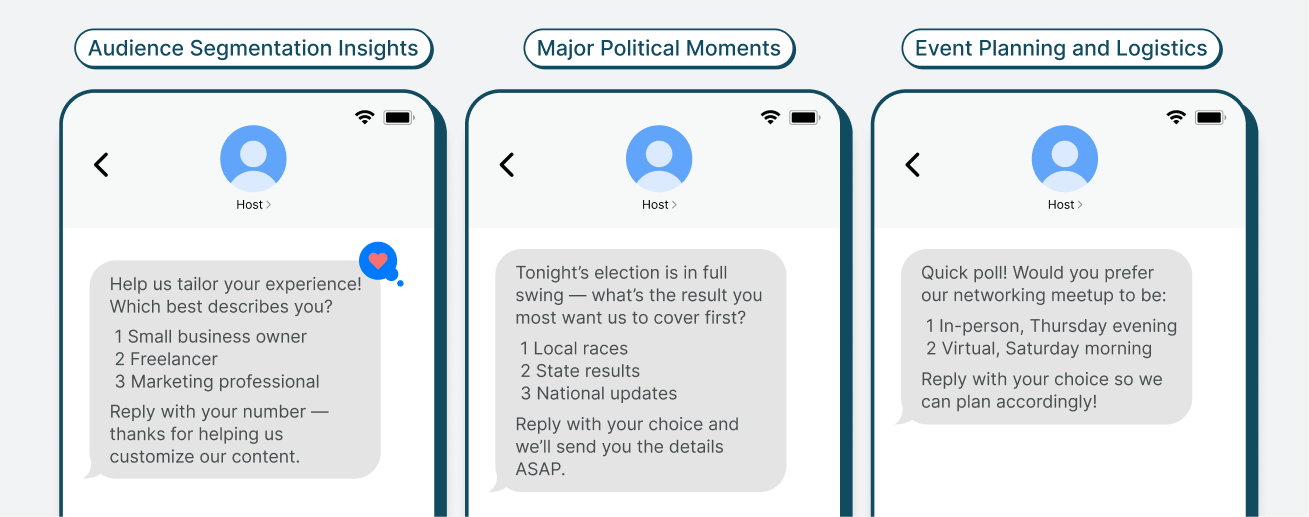
Ultimately, valuable surveys reveal whether you're actually serving your audience's needs or just your own best guesses about what they want.
You're Closer to SMS Surveys Than You Think
The barrier to entry for SMS surveys is basically nonexistent—if you can send a text message, you can create a text survey.
Most brands already have a solid foundation: a subscriber list and messages to send. The difference between simply sending texts and gathering feedback is having the right tools. Platforms that make surveys a native part of the SMS experience eliminate friction—no redirects, no separate apps, and no broken user experiences.
How to Create a Survey in a Text Message with Subtext
With Subtext, learning how to send a survey via text takes minutes.
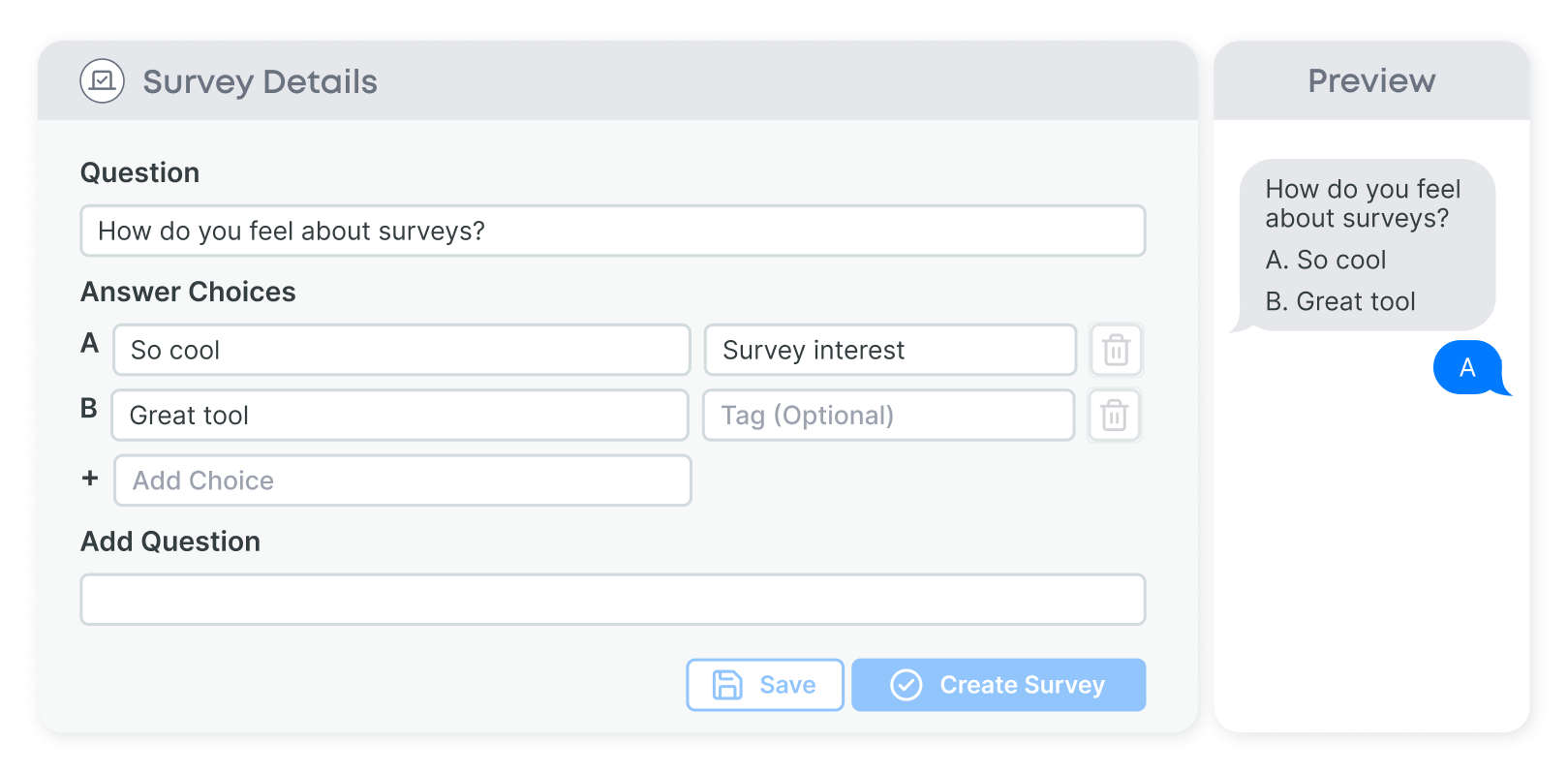
- Step 1: Log in to your Subtext dashboard and navigate to the Survey tab.
- Step 2: Click on the plus sign on the right side to create a new survey.
- Step 3: Fill in your survey details:
- Survey Name: Choose an internal name for your survey
- Trigger Phrase: Set the keyword subscribers text to access
- Survey Tag: Create a tag to segment respondents for future messaging.
- Step 4: Write survey questions and multiple-choice answers.
- Step 5: Add a completion message thanking your audience for participating.
- Step 6: Preview your survey to see exactly how subscribers will see it.
- Step 7: Click “Create Survey” to make your survey live.
- Step 8: Send a broadcast to your subscribers with the trigger phrase to activate participation.
Pro Tips for Maximum Response
To keep the experience feeling effortless:
- Stick to 3-4 questions for best completion rates.
- Send surveys during peak engagement hours.
- Use conversational language that matches your brand voice.
- Choose trigger phrases that are easy to remember and type.
- Use survey tags to create targeted follow-up messaging.
- Always follow up with results—transparency builds trust.
- Thank participants right away for their time and attention.
Interpreting SMS Survey Results and Acting on Feedback
Raw polling data is useful, but the real value emerges through analysis and action. This goes deeper than simple vote counts.
Immediate Action
When survey results are clear-cut, act quickly and communicate with your audience. Messages that acknowledge a change based on their feedback show mutual engagement and responsive leadership on your part.
Split Result Solutions
Close results, like a 45/55 split, reveal audience segments with different needs or preferences. Consider A/B testing or offering multiple options instead of just defaulting to the majority preference. View demographic breakdowns when available to further meet segment needs.
Long-Term Planning
Track polling themes over time. If your audience consistently requests similar types of content or formats, these patterns should inform your broader strategy. Track response timing patterns and engagement trends over time, as well, to keep your finger on the pulse of your community.
SMS Survey Best Practices That Actually Work
Like any communication tool, there are ways to maximize the effectiveness of your text surveys.
The Do's:
- Ask questions that matter to your business decisions. Avoid surveys just for engagement. Audiences recognize—and resent—busy work.
- Time your surveys strategically. Depending on your audience, Tuesday through Thursday might see the highest response rates, while weekend surveys work better for offering lifestyle and entertainment content.
- Create clear response options. Ambiguous choices are more likely to lead to scattered responses and unusable data.
- Follow up on results. The most successful and conscientious creators close the feedback loop by showing how survey results influenced their decisions.
The Critical Don'ts:
- Never ask leading questions. Avoid loaded language that pushes respondents toward the answer you want to hear.
- Don't over-survey. Respect your audience’s time and only survey when their input will influence your decisions.
- Avoid complex multi-part questions. SMS is most effective for simple, binary choices or clear multiple-choice options.
- Don't ignore quiet hours. Respect your audience's time and local time zones. Late-night surveys perform poorly and can increase opt-out rates.
Advanced Tip: Always share survey results with your audience. When data doesn't align with your initial plans, that's often the most valuable insight. Taking the time to explain what responses reveal about your audience is a powerful way to leverage simple survey results to reinforce the community itself.
Make Text Surveys Part of Your Winning Strategy
SMS surveys solve the fundamental challenge of audience-first decision making. With Subtext’s built-in polling capabilities, you’re one trigger phrase away from understanding your audience better than you ever have before. Our platform’s seamless interface keeps your audience engaged from question to response—all within the text conversations your subscribers already trust.
Put guesswork behind you and discover audience insights through the most direct channel available. Start your first SMS survey today with Subtext and experience the difference that purpose-built polling makes for your community engagement.
Frequently Asked Questions
How do I create an SMS survey?
Creating an SMS survey involves selecting a platform with native survey capabilities, writing concise questions with clear response options, setting a trigger phrase for participation, and sending a broadcast message to your subscriber list. Most surveys can be set up in under 10 minutes.
What makes SMS surveys more effective than email surveys?
SMS surveys achieve higher response rates (30-45% vs. 10-15% for email) because text messages are read within minutes, require no app downloads, and allow respondents to reply instantly from their mobile device. The frictionless experience keeps engagement high.
How many questions should an SMS survey include?
For optimal completion rates, limit SMS surveys to 3-4 questions. Longer surveys see a significant drop-off because the SMS format works best for quick, focused feedback rather than comprehensive questionnaires.